

Pocket Galaxy - Space Sandbox is a Simulation application developed by Pocket Labs Ltd, but with the best Android emulator-LDPlayer, you can download and play Pocket Galaxy - Space Sandbox on your computer.
Running Pocket Galaxy - Space Sandbox on your computer allows you to browse clearly on a large screen, and controlling the application with a mouse and keyboard is much faster than using touchscreen, all while never having to worry about device battery issues.
With multi-instance and synchronization features, you can even run multiple applications and accounts on your PC.
And file sharing makes sharing images, videos, and files incredibly easy.
Download Pocket Galaxy - Space Sandbox and run it on your PC. Enjoy the large screen and high-definition quality on your PC!
If you had the power, how would you create the solar system? What planets or stars would you choose? How would you place them in orbit? Are you interested in Astronomy and looking for a powerful yet easy to use 3d simulation sandbox game, to create and simulate a whole new galaxy with realistic physics rules? Then you’ve come to the right place. My Pocket Galaxy, the 3D sandbox game, provides you the ultimate power to explore the infinite space and simulate your own universe where you customise each different planet, gas giant, and star. Destroy on an unimaginable scale.Create Your Own Universe
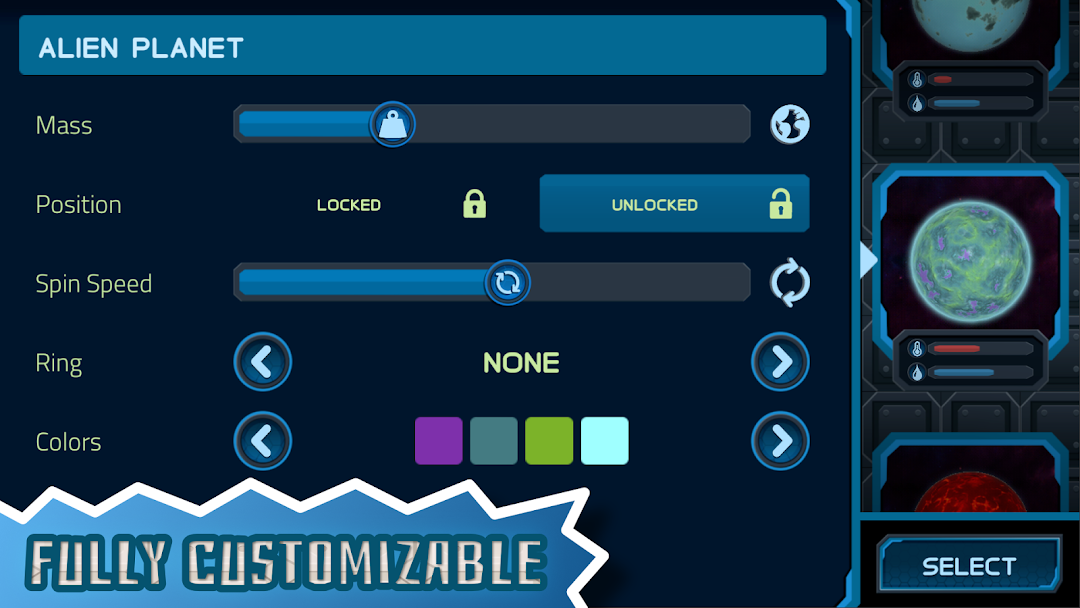
Build your own universe, and simulate all the planet orbits in infinite space with this realistic physics sandbox. Customize your entire solar system down to the individual star, planet, and moon. Give your alien planet repulsive gravity or even create a replica of the Earth, your imagination is the limit.
Destroy an entire Solar System
Become the ultimate planet destroyer or solar smasher, in the best galaxy destruction game! Tap in space to unleash a barrage of asteroids on an unsuspecting world. Destroy planets using a solar ray or freeze them with the ice ray.
Realistic Gravity Simulation
See how your pocket universe plays out over time with the in built realistic physics simulator. Observe as your creations flourish or collapse into destruction. Intervene like a god with physics tools to affect the orbit of planets, heat them up, cool them down or explode them!
Explore And Unlock
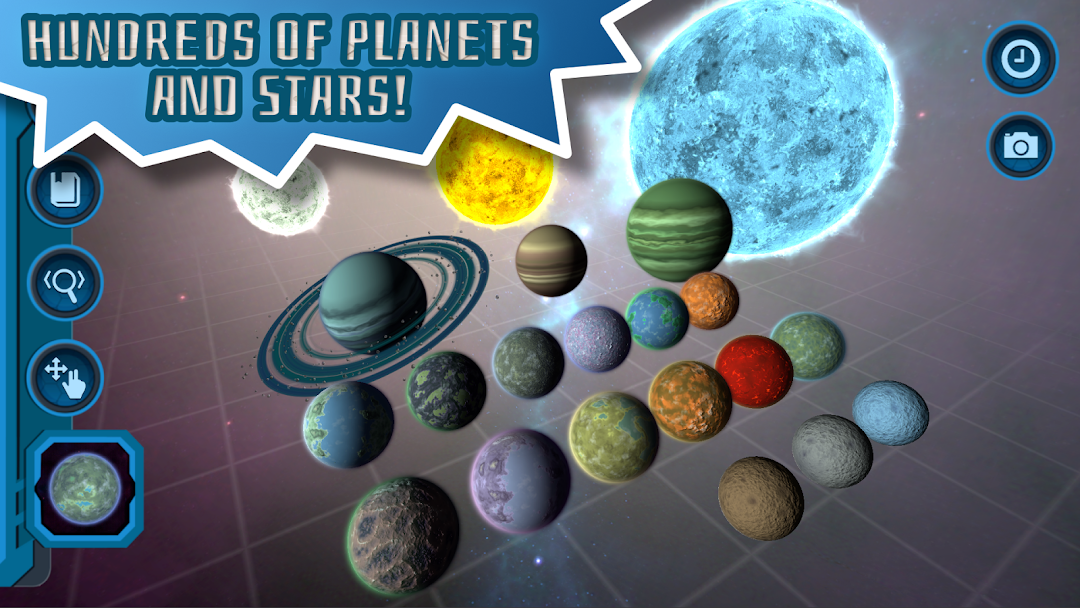
With endless variations of planets, stars ,and more; you’ll never run out of creative options. Smash planets together and affect planet conditions to unlock new types. Explore how life develops in your solar system through the planet journal.
Star Features
Space game with beautiful 3d graphics, realistic gravity, and destruction simulation.
Huge variety of particles, procedural planets, gas giants and stars.
Unlimited customization.
Gravity simulator with realistic orbit physics.
Screenshot your universe and share it with family and friends.
Unlock new achievements for your world building.
Interactive journal to track your universe sandbox.
Save and load games.
The astronomy game formerly known as Pocket Universe