
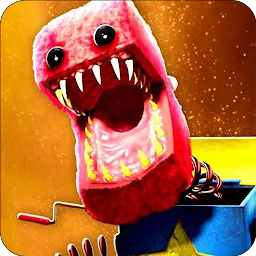


Poppy Project Playtime Boxy Bo is a Puzzle application developed by Salma devx, but with the best Android emulator-LDPlayer, you can download and play Poppy Project Playtime Boxy Bo on your computer.
Running Poppy Project Playtime Boxy Bo on your computer allows you to browse clearly on a large screen, and controlling the application with a mouse and keyboard is much faster than using touchscreen, all while never having to worry about device battery issues.
With multi-instance and synchronization features, you can even run multiple applications and accounts on your PC.
And file sharing makes sharing images, videos, and files incredibly easy.
Download Poppy Project Playtime Boxy Bo and run it on your PC. Enjoy the large screen and high-definition quality on your PC!
This collection of PROJECT Playtime tips, tricks, and instructions can fill up any knowledge gaps you may have!The Project Playtime poppy journey is now open to you along side with Boxy Boo which is our newest character apart from Huggy Wuggy , Kissy missy , Mommy Long Legs , and of course Rainbow Friends!
The choices are essentially unlimited because Project Playtime Poppy long legs contains so much information.
Try the horror/puzzle game Project Playtime, it's an adventurous multiplayer journey that's fun to play using Boxy Boo and Huggy Wuggy.
The Project Playtime game presents Boxy Boo and it's interesting tasks.
Enjoy yourself while learning how to defeat and escape the poppy monster Boxy Boo who is roaming the toy factory!
This program will tell you the story of your favorite different characters such as Boxy Boo and Huggy Wuggy from poppy and what happened to them in the playtime walls while providing brand-new advice for PROJECT Playtime.
You can find comprehensive and in-depth information on PROJECT Playtime in this collection, along with the backstories of all the main and supporting characters, a number of twists and turns, descriptions of all the game's locations and items, and much more.
You may locate the details you require about characters, settings, activities, objects, or plot developments with the aid of an intuitive menu and simple chapter navigation.
Boxy Boo, Huggy Wuggy, Kissy Missy and Mommy Long Legs are all available specially for our beloved users.
Therefore, have a seat as we shortly disclose the most intriguing and enigmatic PROJECT Playtime from your favorite gaming universe.
You can have the spooky sensation of speaking to Boxy Boo and Huggy Wuggy with only one click. With the simple-to-use poppy PROJECT Playtime program, you may amuse yourself, trick your loved ones, and see their amusing and spooky reactions.
Disclaimer :
This project application is mainly for entertainment, if you have or find any problem please feel free to contact us from here elguiasssalma@gmail.com
We will be honored to hear from each and every one of you.
And don't forget to enjoy these super real poppy PROJECT Playtime !!







