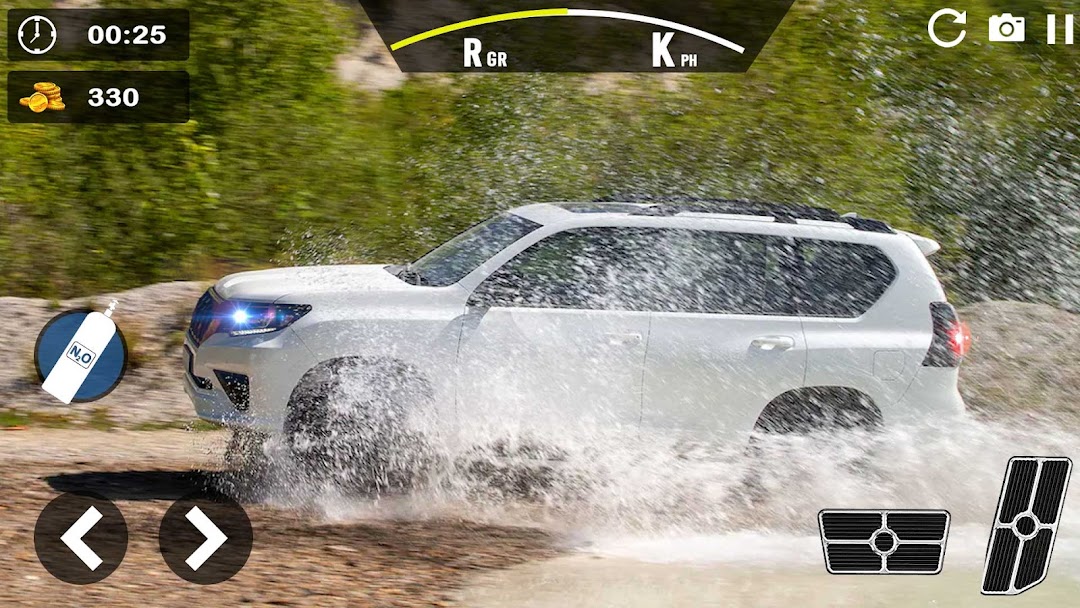
Prado Car Driving Offroad Jeep is a Simulation application developed by Olivia Studio, but with the best Android emulator-LDPlayer, you can download and play Prado Car Driving Offroad Jeep on your computer.
Running Prado Car Driving Offroad Jeep on your computer allows you to browse clearly on a large screen, and controlling the application with a mouse and keyboard is much faster than using touchscreen, all while never having to worry about device battery issues.
With multi-instance and synchronization features, you can even run multiple applications and accounts on your PC.
And file sharing makes sharing images, videos, and files incredibly easy.
Download Prado Car Driving Offroad Jeep and run it on your PC. Enjoy the large screen and high-definition quality on your PC!
Offroad Racing Prado Simulation is a thrilling 4x4 driving game that allows you to test your skills behind the wheel of a rugged Prado. You'll be navigating through challenging terrain and obstacles as you traverse through rugged mountains, dense forests, and muddy swamps.The game features realistic physics and controls, so you'll feel the full power of the Prado as you navigate through the challenging terrain. You'll need to use all of your driving skills to avoid obstacles and stay on course, as well as maintain control of the vehicle while tackling steep hills and treacherous descents.
As you progress through the game, you'll unlock new levels and challenges, each with its own unique terrain and obstacles to overcome. You'll also be able to upgrade your Prado Mud Bogging with new parts and accessories, such as larger tires, stronger suspension, and more powerful engines.
Whether you're a seasoned offroad enthusiast or just looking for a fun driving challenge, Offroad Prado Simulation Rock Crawling is the perfect game for you. So hop in the driver's seat and start your adventure today!
Realistic offroad terrain: Players can explore a variety of offroad environments, including rocky trails, muddy swamps, Jeep adventure, and steep hills.
Customizable vehicles: Players can choose from a range of vehicles, including the Prado, and customize them with a variety of upgrades and modifications to improve their performance and handling.
Dynamic weather conditions: The game features dynamic weather conditions, including rain, snow, and fog, which can affect the gameplay of desert rally and challenge players to adapt to changing conditions.
Multiplayer mode: Players can compete against each other in multiplayer races and challenges, or team up to complete co-op missions.
Dynamic vehicle damage: Vehicles in the game can take damage from rough terrain and collisions, and players will need to repair and maintain their vehicles to keep them running smoothly.
Dynamic physics engine: The game features a realistic physics engine hill climb racing that accurately simulates the handling and performance of offroad vehicles Dune bashing, including tire traction, suspension, and weight distribution.
Detailed map and navigation: Players can explore a detailed map of the game world Trailblazing and use a GPS system to navigate to different locations and challenges.
Dynamic day/night cycle: The game features a dynamic day/night cycle, which affects the lighting and visibility of the game world, and adds to the realism of the gameplay.
Dynamic camera angles: Players can switch between different camera angles, including a first-person view from inside the vehicle, or a third-person view from outside the vehicle.
Challenges and achievements: The game features a variety of challenges and achievements for players to unlock, which can reward them with in-game bonuses and rewards.