
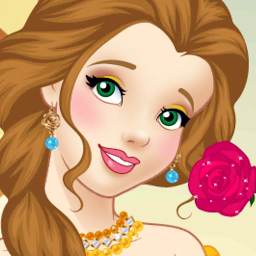


Princess Dress Up is a Simulation application developed by Fashion Dress Up Games, but with the best Android emulator-LDPlayer, you can download and play Princess Dress Up on your computer.
Running Princess Dress Up on your computer allows you to browse clearly on a large screen, and controlling the application with a mouse and keyboard is much faster than using touchscreen, all while never having to worry about device battery issues.
With multi-instance and synchronization features, you can even run multiple applications and accounts on your PC.
And file sharing makes sharing images, videos, and files incredibly easy.
Download Princess Dress Up and run it on your PC. Enjoy the large screen and high-definition quality on your PC!
Are you into makeover games and dress up games?Come see these gorgeous princesses who are just waiting for amazing makeovers and wonderful dress ups! How should these princesses look: trendy, fancy, stylish, royal, casual? Use your fashion sense and your internal fashionista talent to create the best outfit for each princess girl in our new makeover game.
Choose Lily, Vlinder or Elsa and start playing our makeup game and let the princess girls look stunning and gorgeous. This new fashion game lets fashionistas develop their taste and fashion designer skills.
Features of Princess Dress Up and Makeover:
💗 We have an amazing environment. You will not be bored anymore with the classic dress up games environments and graphics. We are original, and you will not be able to find those graphics elsewhere.
💗Our new game is Free and you can start playing the whole game without paying any fees.
💗 We created many different fashion clothes, and we guarantee that you will be able to find everything you are looking for inside our dressing game!
💗 A stunning and awesome gameplay that will let you love to play our game. Be a famous fashionista by choosing the right accessories for your princess.
Do you want to get a Free makeup game where your main mission is to make up and dress up princesses? Download Princess Dress Up and Makeover for Free and play the most wonderful fashion game ever created!







