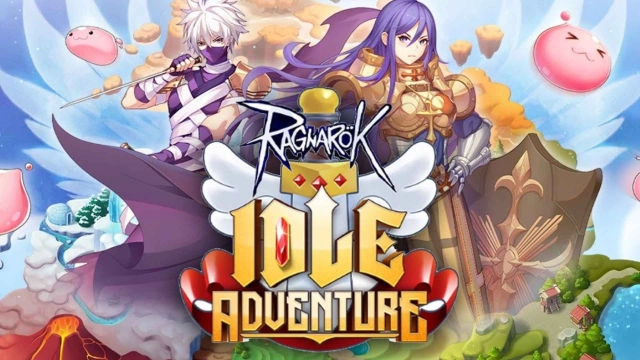
Ragnarok Idle Adventure is a Adventure application developed by Gravity Game Tech, but with the best Android emulator-LDPlayer, you can download and play Ragnarok Idle Adventure on your computer.
Running Ragnarok Idle Adventure on your computer allows you to browse clearly on a large screen, and controlling the application with a mouse and keyboard is much faster than using touchscreen, all while never having to worry about device battery issues.
With multi-instance and synchronization features, you can even run multiple applications and accounts on your PC.
And file sharing makes sharing images, videos, and files incredibly easy.
Download Ragnarok Idle Adventure and run it on your PC. Enjoy the large screen and high-definition quality on your PC!
A game from the famous IP: Ragnarok Online in the form of Idle RPG that will allow players to take on the role of an adventurer who must save the world from monsters to protect Midgard along with characters from 5 main careers from Ragnarok. Everyone is familiar with it. Meet familiar systems such as PvP, towers, guilds, cards, fashion outfits and more. The path of the world savior begins now. Experience an easy and time consuming Ragnarok with Ragnarok Idle Adventure.Start your adventure Evolve yourself to survive and bring peace to Midgard.
****Highlights of the game****
[Pass the level easily with the Idle system]
Easy to fight With an automatic battle system Even if you're not on screen, you can be awesome. You can receive items and EXP every time you enter the game.
[You can organize your own team]
Form your own team with characters from Ragnarok, combo great skills from the uniqueness of each class.
[Hunting MVP level bosses]
Join in the battle against MVP with friends across the server to receive character upgrade rewards.
[4V4 Battle Arena]
4V4 TEAM BATTLE Become the king of the arena.
[Equip a card to strengthen your equipment]
Design your weapons with various ability cards. Combo as desired
■ How to revoke access rights?
- Android 6.0 and above: Settings > Apps > Select permission list > Permission list > Select revoke or accept access rights.
- Below Android 6.0 : Upgrade the operating system. Then revoke access or delete the app.
※ The app may not have individual consent functions. which can revoke access rights with the above method
■ Minimum specs
Requires Android 5.0 and RAM 3GB or higher.