Real Car Parking School is a Simulation application developed by Regako, but with the best Android emulator-LDPlayer, you can download and play Real Car Parking School on your computer.
Running Real Car Parking School on your computer allows you to browse clearly on a large screen, and controlling the application with a mouse and keyboard is much faster than using touchscreen, all while never having to worry about device battery issues.
With multi-instance and synchronization features, you can even run multiple applications and accounts on your PC.
And file sharing makes sharing images, videos, and files incredibly easy.
Download Real Car Parking School and run it on your PC. Enjoy the large screen and high-definition quality on your PC!
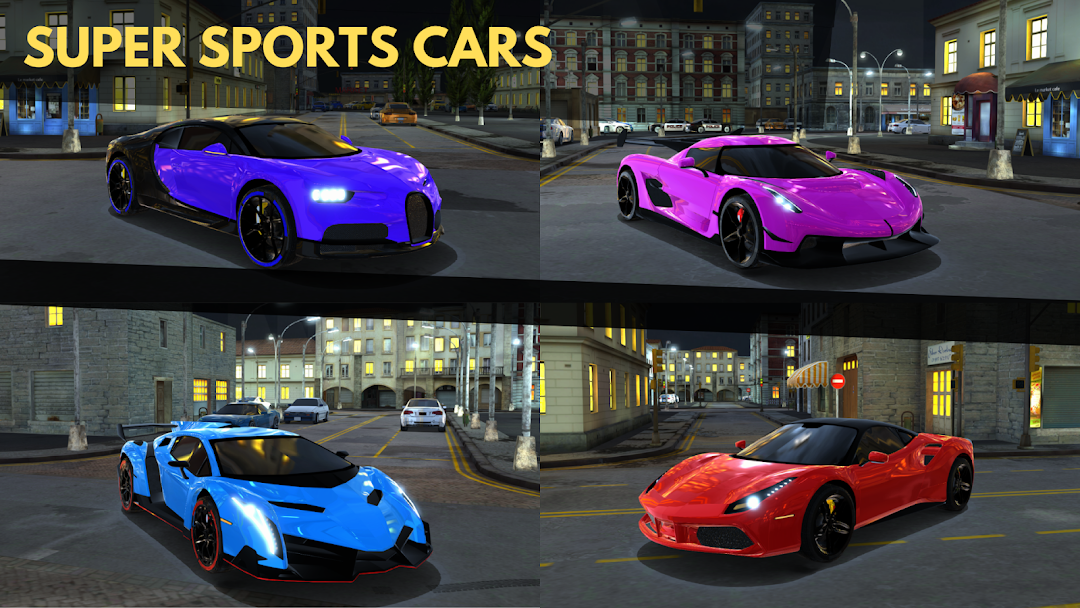
Realistic car physics and high-quality cars are waiting for you!Real Car Parking School, which includes more than 30 Sedan, Hatchback, SUV and Super Sports cars, and is visually satisfying with its new generation graphic quality, will take you from the novice level to the master level in parking with its extensive content. With realistic 3D cars and detailed car interior designs, you will really feel like you are in a driving school.
MEET YOUR DRIVING SCHOOL TEACHER NOW
Real Car Parking School 2025 is not a simple parking lot car parking game. Our story mode game gives you a real driving school experience. Your Driving School teacher is always with you in the game and gives you practical advice to teach you the tricks of parking.
IMPROVE YOUR CAR PARKING ABILITY
Learn all the tips of parking with the level system that progresses from easy to difficult. 100 different parking levels are waiting for you. Park your car without any time limit. But don't forget, try not to hit any buildings, traffic lights, signs. Because you only have 3 rights!
HIT THE GAS ON THE REALISTIC CITY MAP
Real Car Parking School, created with the new generation graphics engine, has a large city map. Experience the pleasure of a car driving game freely. The graphic quality of the city design is realistic and you experience the feeling of driving at night.
QUALITY CARS AND INTERIORS
More than 30 legendary cars are waiting for you. All of them are high quality and the interiors of all of them are prepared in detail. Engine and exhaust sounds are customized for each one.
BUY AND MODIFY NEW CARS
Complete parking levels and earn game gold. Buy new cars with the gold you earn. Change the color of your cars as you wish, adjust the color of their rims and windows according to your own personal preferences!
Come on, start this parking game adventure without wasting time. Start your driving school career. Join the world of real car parking simulation. The Open World car driving game will continue to grow with constant development and new levels and new details.