

Rescue The Rainbow friends is a Puzzle application developed by , but with the best Android emulator-LDPlayer, you can download and play Rescue The Rainbow friends on your computer.
Running Rescue The Rainbow friends on your computer allows you to browse clearly on a large screen, and controlling the application with a mouse and keyboard is much faster than using touchscreen, all while never having to worry about device battery issues.
With multi-instance and synchronization features, you can even run multiple applications and accounts on your PC.
And file sharing makes sharing images, videos, and files incredibly easy.
Download Rescue The Rainbow friends and run it on your PC. Enjoy the large screen and high-definition quality on your PC!
Rescue The Rainbow friends on PC
Rescue The Rainbow friends, coming from the developer ThegamingUniverse, is running on Android systerm in the past.
Now, You can play Rescue The Rainbow friends on PC with LDPlayer smoothly.
Download it in the LDPlayer library or search results. No more eyeing the battery or frustrating calls at the wrong time any more.
Just enjoy Rescue The Rainbow friends PC on the large screen for free!
Rescue The Rainbow friends Introduction
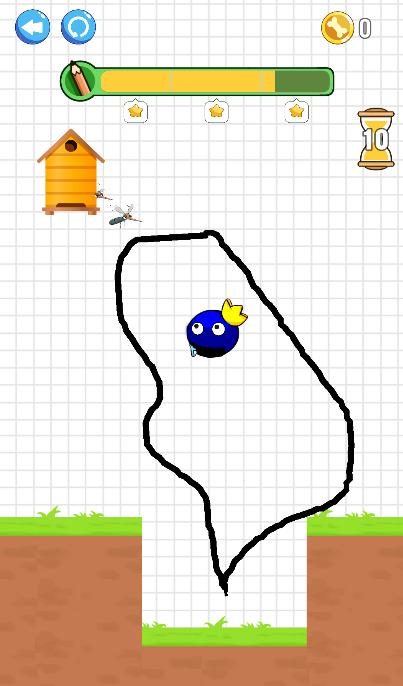
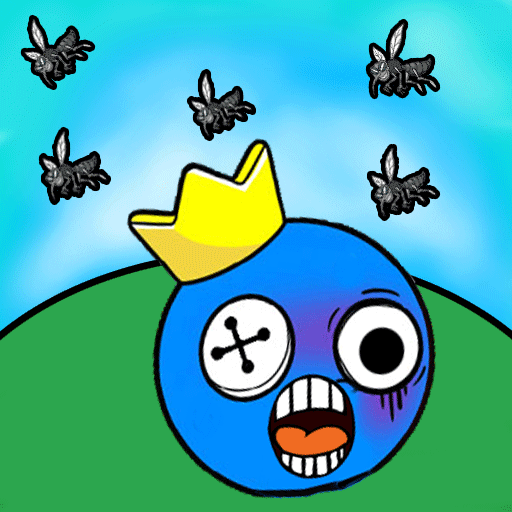
Welcome to our brand new RAINBOW FRIENDS game , where your role is to save the blue monster by drawning.
You draw one line with your fingers to create walls that protect the rainbow friends from bees's attack.
This Draw game helps you train your brain effectively, download Save the Rainbow Friends to save your rainbow from bees and relax your mind now!
It’s a rescue game that you should defintly try.
Tap to draw one line and save the rainbow friends from the bees're attacking: Press to draw out your line.
Make sure your line is fully protecting rainbow friends.
This is what you get by playing our amazing save the rainbow friends game :
🐝 Relax your mind from daily stress
🐝 Draw game that boosts your creativity and imagination
🐝 Test your IQ easily only in Save The Rainbow Friends
🐝 Challenge your ability on different levels
🐝 Interesting memes with the rainbow friends
How to play Save The Rainbow Friends:
- Draw the line on the screen to create a wall to protect the the blue friend
- Wait for the bees in the hive to attack the rainbow friends
- Hold your wall for 10 seconds, so that the rainbow friends will not be attacked by the bees
- You will win if you SAVE THE RAINBOW FRIENDS.
Save your little rainbow friends from bees now !
Try to win this addictive draw to save game to sharpen your brain and to challenge youself !