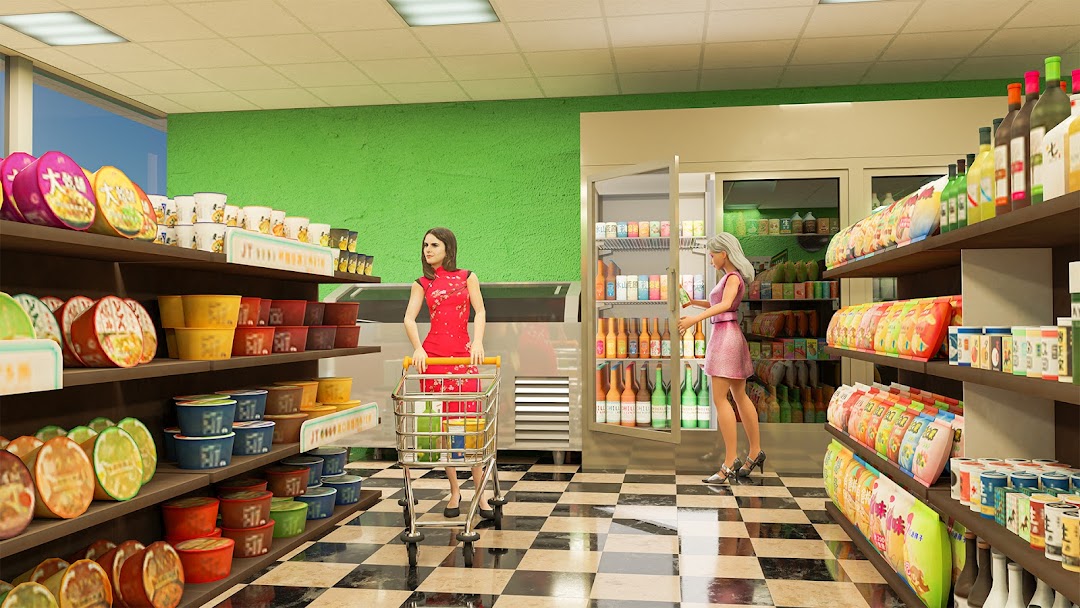
Retail Supermarket Management is a Simulation application developed by Crazy Fox Studio, but with the best Android emulator-LDPlayer, you can download and play Retail Supermarket Management on your computer.
Running Retail Supermarket Management on your computer allows you to browse clearly on a large screen, and controlling the application with a mouse and keyboard is much faster than using touchscreen, all while never having to worry about device battery issues.
With multi-instance and synchronization features, you can even run multiple applications and accounts on your PC.
And file sharing makes sharing images, videos, and files incredibly easy.
Download Retail Supermarket Management and run it on your PC. Enjoy the large screen and high-definition quality on your PC!
Retail Supermarket Management is an engaging simulation game that puts you in the dual role of both a cashier and a manager. In this immersive experience, you have the opportunity to expand and operate your own small supermarket, gradually evolving into a seasoned store manager.As you step into the shoes of a cashier, you'll handle transactions, manage customer queues, and ensure smooth checkout processes. Your efficiency and customer service skills will be put to the test as you strive to keep shoppers satisfied and maintain a steady flow of revenue.
But the responsibilities don't end there. As a manager, you'll oversee every aspect of your supermarket's operations. From restocking shelves to setting prices, from managing inventory to hiring and training staff, you'll need to make strategic decisions to optimize profitability and customer satisfaction.
With features like 3D graphics and realistic simulations, this game provides an immersive experience that simulates the challenges and rewards of running a retail store. Whether you're managing a supermarket, electronics store, or any other retail establishment, you'll face a variety of scenarios and obstacles that will test your management skills.
Key Features:
- Manage Supermarkets : Experience the intricacies of running a supermarket firsthand.
- Retail Store 3D Game : Dive into the world of retail management with this immersive simulation.
- Store Simulator 3D: Expand your business into the electronics market and cater to tech-savvy customers.
- Store Management: Make strategic decisions to optimize store operations and maximize profits.
- Take on the role of a seasoned manager and lead your supermarket to success.
- Retail Supermarket Management: Enjoy realistic 3D graphics that bring your supermarket to life.
- Retail Supermarket Manager: Engage in a challenging and rewarding gameplay experience as you build and manage your store.