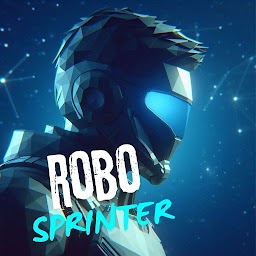


Robo Sprinter is a Adventure application developed by DroidFox, but with the best Android emulator-LDPlayer, you can download and play Robo Sprinter on your computer.
Running Robo Sprinter on your computer allows you to browse clearly on a large screen, and controlling the application with a mouse and keyboard is much faster than using touchscreen, all while never having to worry about device battery issues.
With multi-instance and synchronization features, you can even run multiple applications and accounts on your PC.
And file sharing makes sharing images, videos, and files incredibly easy.
Download Robo Sprinter and run it on your PC. Enjoy the large screen and high-definition quality on your PC!
In the bustling metropolis of Neo-Tokyo, amidst the neon-lit skyscrapers and bustling streets, lies the heart-pounding world of Robo Sprinter. Set in a not-so-distant future where technology reigns supreme, players are thrust into the sleek, metallic frame of an android athlete, known simply as "Sprinter."The stage is set for the ultimate test of skill and endurance: the Robo Sprinter competition. As Sprinter stands poised at the starting line, anticipation fills the air. With a burst of speed, Sprinter rockets forward, navigating through a maze of obstacles with lightning-fast reflexes and precision timing.
The journey unfolds through a mesmerizing cityscape, where every corner holds a new challenge and opportunity for discovery. From towering skyscrapers to underground tunnels, Sprinter races against time, evading deadly traps and rival androids vying for victory.
Yet, Sprinter is not alone in their quest. Along the way, allies emerge from unexpected places, forming a formidable team united in their pursuit of truth and justice. Together, they unravel the mysteries lurking beneath the city's surface, confronting powerful forces intent on maintaining the status quo.
As the competition reaches its climax, Sprinter faces their greatest challenge yet: a heart-stopping race against time and adversaries. With determination and unwavering resolve, Sprinter surges forward, crossing the finish line in a blaze of glory.
Amidst the cheers of the crowd, Sprinter stands triumphant, their legacy secured. But the journey is far from over, for in the ever-changing landscape of the future, new challenges await. As long as there are dreams to chase and obstacles to overcome, Sprinter will continue to race towards a brighter tomorrow, one step at a time.