RP Grand - Open World Game is a Role Playing game developed by Grand Games AV, and LDPlayer is the best platform for playing RP Grand - Open World Game on Windows PC, offering powerful features for an immersive experience.
When playing RP Grand - Open World Game on PC, as a new player looking to start with a fresh account, the multi-instance and sync features are extremely useful for rerolls. You can use them to run multiple instances and begin the synchronization process. Bind your account until you draw the desired heroes.
In addition, operation recorder is great for games that require you to level up and complete tasks! Run the sync and record your actions, then repeat the main instance's actions in real-time. By doing so, you can run 2 or more accounts simultaneously. You can always get the heroes you want before others by faster rerolls and more efficient summoning! Start downloading and playing RP Grand - Open World Game on your computer now!
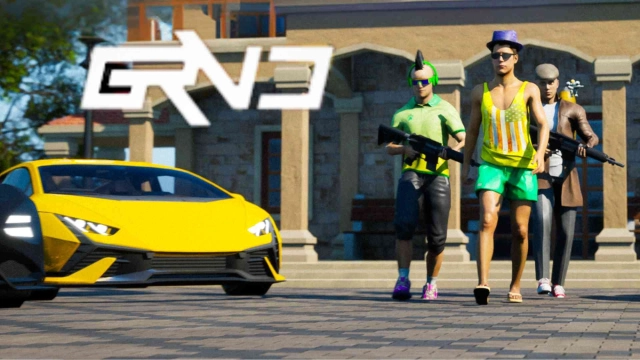
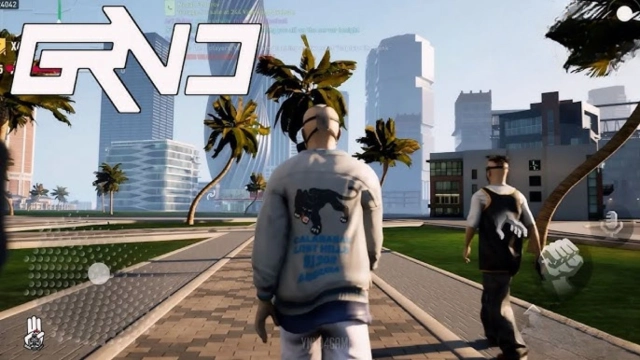
Your city. Your rules.RP Grand is an open world online roleplay game where real players create a living city — and you decide who you become. If you’re into open world games, you’ll feel at home here.
🎭 Choose your role
There’s no single storyline. Start from zero, build status, and pick your path:
— racer and street driver
— business owner with property and an empire
— law enforcement keeping order
— gang member rising to the top
🌆 A city that feels alive
• Multiple servers with active players
• Social RP: friends, alliances, rivals, and reputation
• Regular updates with new content and city activities
💥 Action, heists, and city events
• Heists and special action events (army raid, ATM events)
• Car theft and risky street activities
• Gangs vs police: pick a side and climb the ranks
• Competitive challenges and fights for influence
If you like a gangster game vibe, this is where you build your name.
🏃 Events, mini-games, and skill runs
• Parkour events and skill challenges (one of the most active modes)
• Mini-games like laser tunnel runs and more activities
• Time-limited events with rewards and progression
🚗 Cars are style, not just speed
• Improved driving feel (yes, drifting is here)
• Car customization: accessories, neon underglow
• Vinyls: classic + animated styles to stand out
• Races, meets, and street driving with friends
🐾 More ways to play
• Pets and companions
• Character customization and personal style
• Play solo or with friends — your story still matters
Jump in, pick your role, and write your story in RP Grand.
🌐 Website: https://rpgrand.com/