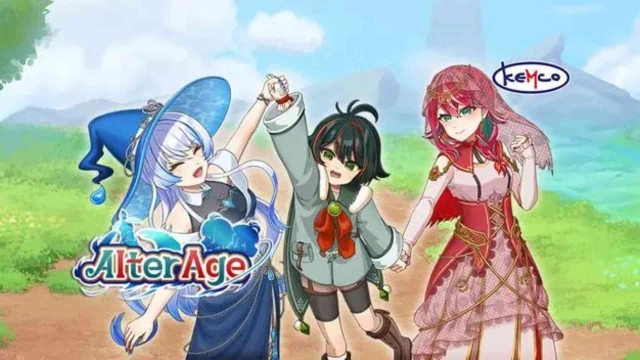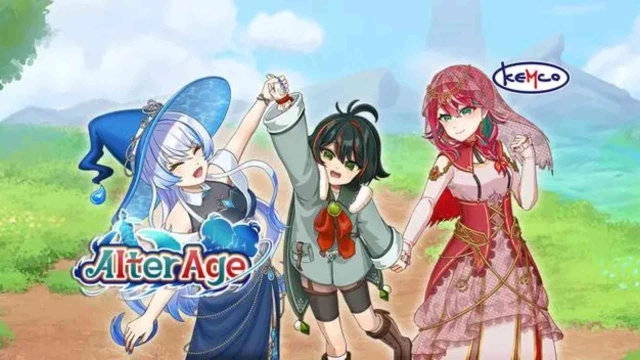


RPG Alter Age is a Role Playing game developed by KEMCO, and LDPlayer is the best platform for playing RPG Alter Age on Windows PC, offering powerful features for an immersive experience.
When playing RPG Alter Age on PC, as a new player looking to start with a fresh account, the multi-instance and sync features are extremely useful for rerolls. You can use them to run multiple instances and begin the synchronization process. Bind your account until you draw the desired heroes.
In addition, operation recorder is great for games that require you to level up and complete tasks! Run the sync and record your actions, then repeat the main instance's actions in real-time. By doing so, you can run 2 or more accounts simultaneously. You can always get the heroes you want before others by faster rerolls and more efficient summoning! Start downloading and playing RPG Alter Age on your computer now!
Arga has been training daily to prove himself superior to his father, who holds the title of the strongest man in the world. During this process, he awakened the job "Soul Alter," a unique skill that changes the states of himself and his companions between adult and child. Sometimes a young man, sometimes a boy, he faces great trials with his companions.Alter your team in turn-based battles between adult and child states to alternate between attack or support types! Utilize a wide range of formations and elements, including equipment and passive skills, to strategically navigate battles.
Explore a vast expanding world depicted in beautiful pixels, from puzzle dungeons to detour dungeons! Collect ingredients while walking around to cook meals, take on special quests limited to the child state, and fully enjoy every corner of the world of Alter Age!
* This app contains ads in some screens. The game itself can be played in its entirety for free.
* Ads can be removed through in-app purchases by purchasing the Ad Eliminator. Please note that the Ad Eliminator of the freemium edition does not include the bonus 150 Brave Stones.
* A premium edition with 150 bonus Brave Stones is also available. https://play.google.com/store/apps/details?id=kemco.execreate.alterpremium (Save data cannot be transferred between the premium and freemium editions.)
[IMPORTANT NOTICE]
Your use of the application requires your agreement to the following EULA and 'Privacy Policy and Notice'. If you do not agree, please do not download our application.
End User License Agreement: http://kemco.jp/eula/index.html
Privacy Policy and Notice: http://www.kemco.jp/app_pp/privacy.html
[Game Controller]
- Optimized
[Languages]
- English, Japanese
[Non-Supported Devices]
This app has generally been tested to work on any mobile device released in Japan. We cannot guarantee full support on other devices. If you have the Developer Options enabled in your device, please turn off the "Don't keep activities" option in case of any issue. On the title screen, a banner showing latest KEMCO games may be displayed but the game doesn't have any ads from 3rd parties.
Get the latest information!
[Newsletter]
http://kemcogame.com/c8QM
[Facebook page]
https://www.facebook.com/kemco.global
* The actual price might differ depending on the region.
© 2024 KEMCO/EXE-CREATE