


Rubik 3D - Magic Cube is a Puzzle application developed by SkaiNguyen.Software, but with the best Android emulator-LDPlayer, you can download and play Rubik 3D - Magic Cube on your computer.
Running Rubik 3D - Magic Cube on your computer allows you to browse clearly on a large screen, and controlling the application with a mouse and keyboard is much faster than using touchscreen, all while never having to worry about device battery issues.
With multi-instance and synchronization features, you can even run multiple applications and accounts on your PC.
And file sharing makes sharing images, videos, and files incredibly easy.
Download Rubik 3D - Magic Cube and run it on your PC. Enjoy the large screen and high-definition quality on your PC!
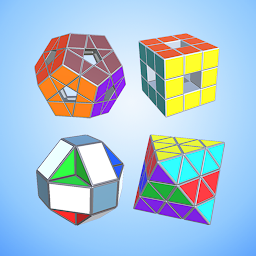
Now you can rotate Rubik right on your phone. There are many types of Rubiks for you to play. You do not waste time, money to find and buy Rubik.Simple game interface:
+ To change the type of Rubik, you press the Menu button.
+ To mix Rubik you click on the Rubik mixing icon.
+ To change the 2 modes (rotate the Rubik and flip the Rubik's face), click on the mode switch icon.
+ To rotate the Rubik, you choose the mode to rotate the Rubik. When you swipe on the Rubik it will rotate in the direction you swipe
+ To flip a Rubik's face, select the Rubik's face flip mode. When you swipe on the Rubik it will flip Rubik's face. When you press and move outside of the Rubik, you will change the direction of the Rubik's view.
Click the Mode button to switch to the Rubik rotating mode with timer.
When you and your friends compete against each other, you choose the Mode to play.
When you complete the Rubik, you will receive gold, This Gold you use it to buy new Rubik.







