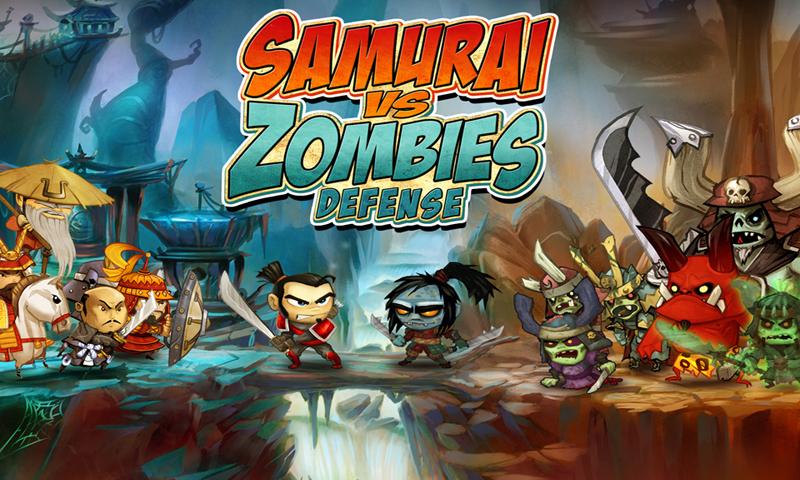
SAMURAI vs ZOMBIES DEFENSE is a Action game developed by Glu, and LDPlayer is the best platform for playing SAMURAI vs ZOMBIES DEFENSE on PC, offering powerful features to immerse you in the game.
When playing SAMURAI vs ZOMBIES DEFENSE on computer, you can adjust frame rate settings for smooth gameplay and stunning visuals.
LDPlayer also provides pre-configured keyboard mapping for convenient control of the entire game. Continuous optimization of keyboard mapping enhances key sensitivity and skill accuracy. Additionally, LDPlayer offers special buttons like shoot, hide mouse, and continuous key press for an enhanced gaming experience.
If you prefer using a gamepad, the automatic gamepad detection allows you to customize controls with just a few clicks, enabling you to freely maneuver your hero. Start downloading and playing SAMURAI vs ZOMBIES DEFENSE on your computer now!
Play as the heroic Samurai and defend your village against hordes of attacking zombies! Recruit allies and build defenses to stop them!STRATEGIC GAMEPLAY: set up your defenses against hordes of zombies!
WORK WITH ALLIES: get some help in the store with farmers, warriors, archers and much more!
WIN BIG IN MINI GAMES: play Pachinko to earn rare items!
UPGRADE YOUR SAMURAI: Become more powerful by acquiring better weapons, defenses and magical abilities!
This game plays great on a big screen TV using MHL technology. Check out www.meetmhl.com for more details.
PLEASE NOTE:
- This game is free to play, but you can choose to pay real money for some extra items, which will charge your Google account. You can disable in-app purchasing by adjusting your device settings.
-This game is not intended for children.
- Please buy carefully.
- Advertising appears in this game.
- This game may permit users to interact with one another (e.g., chat rooms, player to player chat, messaging) depending on the availability of these features. Linking to social networking sites are not intended for persons in violation of the applicable rules of such social networking sites.
- A network connection is required to play.
- For information about how Glu collects and uses your data, please read our privacy policy at: www.Glu.com/privacy
- If you have a problem with this game, please use the game’s “Help” feature.
FOLLOW US at
Twitter @glumobile
facebook.com/glumobile