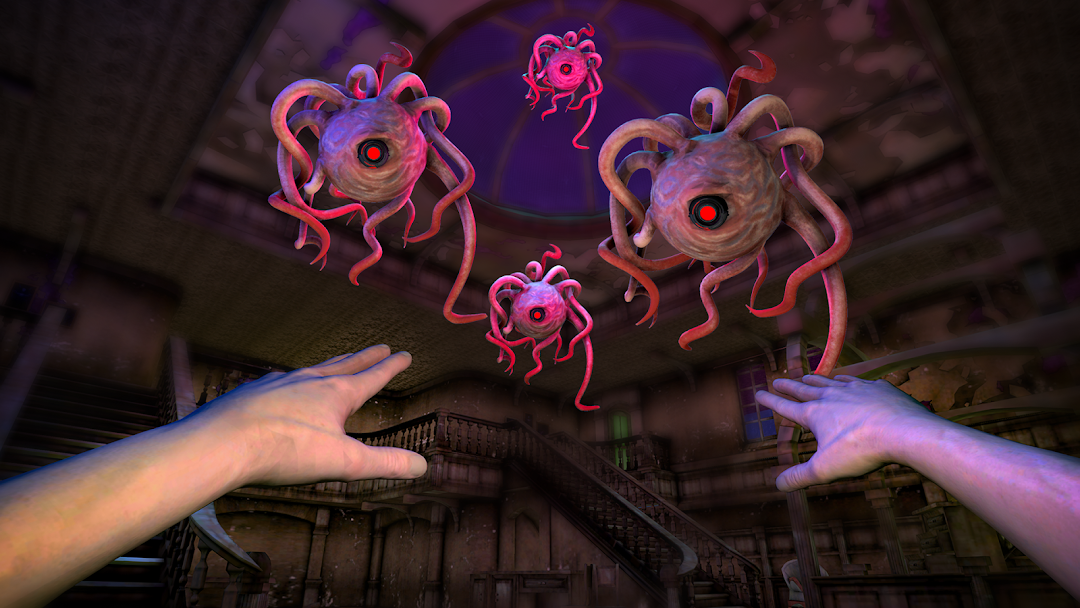


scary Eyes - The Horror Game is a Adventure application developed by azamali, but with the best Android emulator-LDPlayer, you can download and play scary Eyes - The Horror Game on your computer.
Running scary Eyes - The Horror Game on your computer allows you to browse clearly on a large screen, and controlling the application with a mouse and keyboard is much faster than using touchscreen, all while never having to worry about device battery issues.
With multi-instance and synchronization features, you can even run multiple applications and accounts on your PC.
And file sharing makes sharing images, videos, and files incredibly easy.
Download scary Eyes - The Horror Game and run it on your PC. Enjoy the large screen and high-definition quality on your PC!
You enter the mansion illegally at night. It is enormous and constructed like a maze. Although you're attempting to flee, the monster is pursuing you! The pursuit starts.FRIEND RUN! Noo...
Your ability to survive will be put to the ultimate test in this free multiplayer horror game. Multiplayer raises the level of fear and thrills to entirely new heights. Together, feel the terror! In this uncomplicated yet frightful survival horror game, avoid ghosts and face terrifying jumpscares. This free atmospheric horror game features terrifying creatures, heart-pounding terror, and chase. Never, however, let children play alone in the dark. Your survival depends entirely on you.
An unsettling wail shakes the dead air as you search for treasure in crumbling rooms, and your heart is filled with dread. The pursuit now starts.
Books jiggle on their shelves, lights flicker, and the ominous TV suddenly goes staticky.
With the inclusion of multiplayer, you'll never have to confront the horrors in the dark by yourself. Check your resiliency and ability to leave the mansion.
Why you should immediately download Eyes: The Horror Game:
/frightful one-eyed horror demon
/unlock multiple levels in an old haunted mention,
/enduring multiple game modes
/Use mystical Eye runes to see past the monster's warped perspective and attempt to withstand its vengeance.
/Plan your next move by using a hand-drawn map as a guide.
/The ideal horror and thriller game features tense gameplay, a terrifying beast, unexpected jumpscares, and a chilling environment.
/Together, endure the terror in Eyes' eagerly anticipated multiplayer mode.
Let's leave the mansion now.!