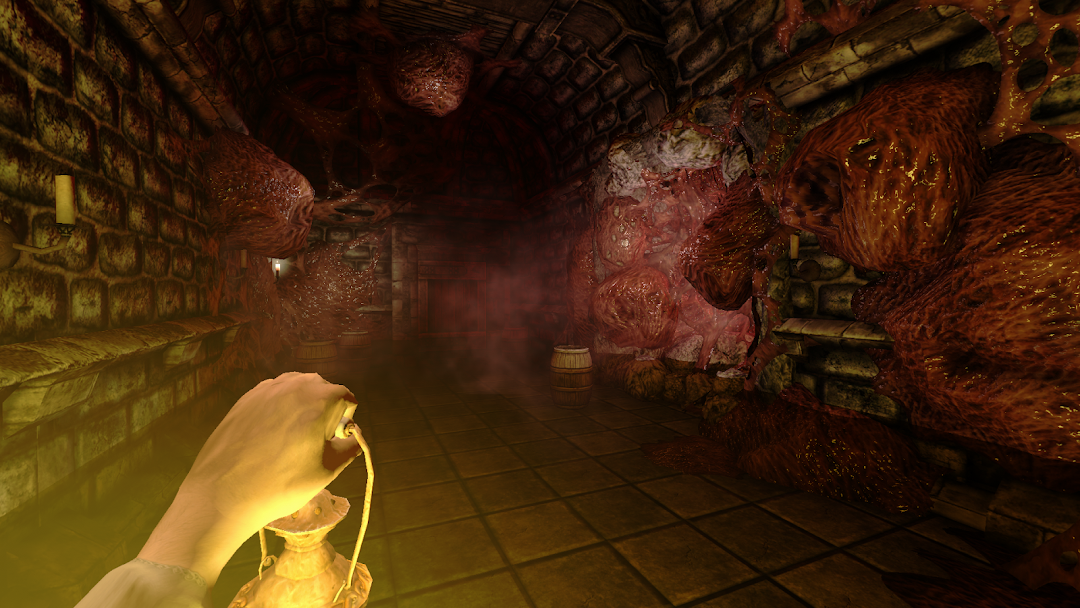
Sclerosis: A Horror Game is a Adventure application developed by Tarsha Games, but with the best Android emulator-LDPlayer, you can download and play Sclerosis: A Horror Game on your computer.
Running Sclerosis: A Horror Game on your computer allows you to browse clearly on a large screen, and controlling the application with a mouse and keyboard is much faster than using touchscreen, all while never having to worry about device battery issues.
With multi-instance and synchronization features, you can even run multiple applications and accounts on your PC.
And file sharing makes sharing images, videos, and files incredibly easy.
Download Sclerosis: A Horror Game and run it on your PC. Enjoy the large screen and high-definition quality on your PC!
The legendary horror game "Amnesia: The Dark Descent" is now on mobile devices. Face your fears, find your way to the light and try not to go insane... in an updated format.The protagonist of the game, Daniel, wakes up in an ancient castle, not understanding who he is, how he got here, or what happened. The only thing he experiences is a chilling sense of unease, as if something is haunting him and his allotted time is running out. It is only from a found note, signed with his own name, that he learns that he himself has chosen to forget the past in order to get rid of the severe wounds of his soul.
In an attempt to understand what is happening, Daniel will have to explore the darkest corners of the castle and see the terrifying inhabitants of the place, each meeting with whom threatens him with imminent death. Facing the ghost of his past, Daniel will find salvation or perish.
Features:
- The scariest game of a generation - the feeling of unspeakable horror will follow you relentlessly on your heels;
- Mystical storyline, forcing you to peek into the darkest recesses of human consciousness;
- Graphics, the likes of which no mobile horror game has;
- Puzzles built on realistic physics of the game environment;
- Famous analog controls, painstakingly adapted to the touch screen - open doors, pull levers and twist valves as if your finger were an extension of your real hand.
Differences from the original game:
- Safe mode, similar to similar modes in other Frictional Games projects. There are no monsters in the castle, and events related to their appearance are cut out. Lantern does not waste oil when used. Suitable for impressionable players who want to take in the atmosphere and the story without harming their psyche.
- PSX mode that changes the game's graphics and music to match the PlayStation 1 entourage. Play the famous horror game as if it was released in the last century;
- Mirror mode that turns the layout of Castle Brennenburg upside down. Sure you know the game by heart? Try playing with this mode and break your brain.
DISCLAIMER:
This application, its author, and Sclerosis project are not in any way associated with Frictional Games and is completely a hobbyist project. This application does NOT distribute any game data or other copyrighted content not owned by the author. You MUST own a legal copy of Amnesia: The Dark Descent before you can play Sclerosis. I do NOT support nor condone pirated versions of Amnesia. All textures, models, designs, sounds and music reproduced in gameplay, screenshots and videos are the property of Frictional Games unless otherwise specified.