Sea of Stars
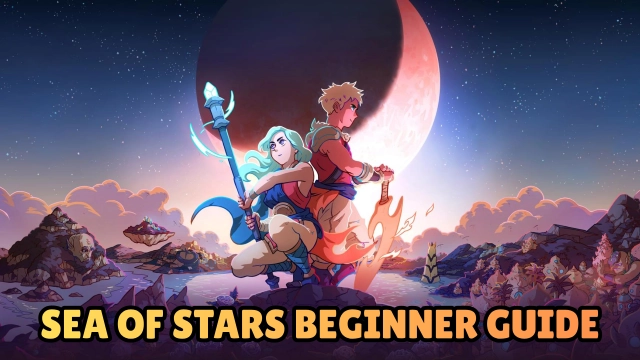
Introduction Experience the magic of a modern classic! Sea of Stars by Sabotage Studio breathes new life into the golden era of 90s RPGs. Telling the captivating story of two Children of the Solstice, you must combine the powers of the sun and moon to wield Eclipse Magic—the only force capable of defeating the monstrous creations of the evil alchemist, The Fleshmancer. Carefully redesigned for mobile, this masterpiece modernizes the traditional turn-based combat formula with seamless exploration, breathtaking dynamic lighting, and zero grinding. Whether you are seeking a hearty slice of nostalgia or a beautifully crafted, story-rich adventure, Sea of Stars delivers a truly unforgettable journey.
Core Gameplay & Features
-
Engaging Turn-Based Combat: Master a dynamic battle system featuring timed hits to boost damage or mitigate incoming attacks, strategic combo attacks, and a unique "locks" system to break enemy spells. Enjoy fluid combat with no random encounters and no separate battle screens.
-
Breathtaking 2D Pixel Art: A custom-made render pipeline creates a world that feels incredibly alive. Experience full-on dynamic lighting that pushes the absolute limits of 2D pixel-art aesthetics.
-
Seamless Exploration: Break free from classic grid-based movement. Swim, climb, vault, and traverse the vibrant world seamlessly and naturally.
-
A World You Can Touch: Take a break from saving the world to enjoy a wealth of immersive mini-games. Sail the seas, cook meals, go fishing, or stop by a tavern to play a few rounds of the infamous tabletop game, "Wheels."
-
Story-Rich Adventure: Dive into a narrative filled with epic moments, emotional depth, silly humor, and the unexpected twists that define a true Sabotage Studio production.
Players universally praise Sea of Stars for its perfect balance of retro nostalgia and modern quality-of-life improvements, eliminating tedious grinding while keeping the core fun of classic RPGs intact.
Play Sea of Stars on PC with LDPlayer for Best Experience
-
True Console Experience with Gamepad Support: Sea of Stars is meant to be played with a controller. LDPlayer offers seamless, plug-and-play gamepad compatibility, letting you execute timed hits and navigate the world exactly as intended.
-
Immersive Big Screen Visuals: Do not let a small phone screen diminish the breathtaking dynamic lighting and meticulous pixel art. Experience the vibrant world of Sea of Stars in full high-definition on your PC monitor.
-
Uninterrupted, Battery-Free Adventures: Epic RPGs require dozens of hours to complete. Play comfortably on your PC for hours on end without worrying about battery drain, device overheating, or incoming call interruptions.
-
Custom Keyboard Controls: Don't have a controller? LDPlayer’s advanced keymapping allows you to customize keyboard controls to your exact preferences, ensuring comfortable and precise exploration.
-
Cross-Device Progression: Thanks to Android Cloud Save compatibility, you can grind a bit on your phone during a commute and seamlessly continue your grand adventure on LDPlayer when you get home.
Harness the power of Eclipse Magic and embark on the adventure of a lifetime—download Sea of Stars on PC and experience this modern RPG masterpiece with LDPlayer!