Secrets of the Dragon Cafe is a Simulation application developed by Genius Studio Japan Inc., but with the best Android emulator-LDPlayer, you can download and play Secrets of the Dragon Cafe on your computer.
Running Secrets of the Dragon Cafe on your computer allows you to browse clearly on a large screen, and controlling the application with a mouse and keyboard is much faster than using touchscreen, all while never having to worry about device battery issues.
With multi-instance and synchronization features, you can even run multiple applications and accounts on your PC.
And file sharing makes sharing images, videos, and files incredibly easy.
Download Secrets of the Dragon Cafe and run it on your PC. Enjoy the large screen and high-definition quality on your PC!
■ Synopsis ■As a humble shamisen player, you’ve been walking to a beat that nobody seems to appreciate, but a chance encounter on the streets of Akihabara might be just the thing you need to change your tune. With three beguiling coworkers by your side it isn’t just a question of which one is your type, but whether you’re even the same species…
At the ‘Burning Love’ maid café, fun and excitement are on the menu, and drama is the dish of the day!
■ Characters ■
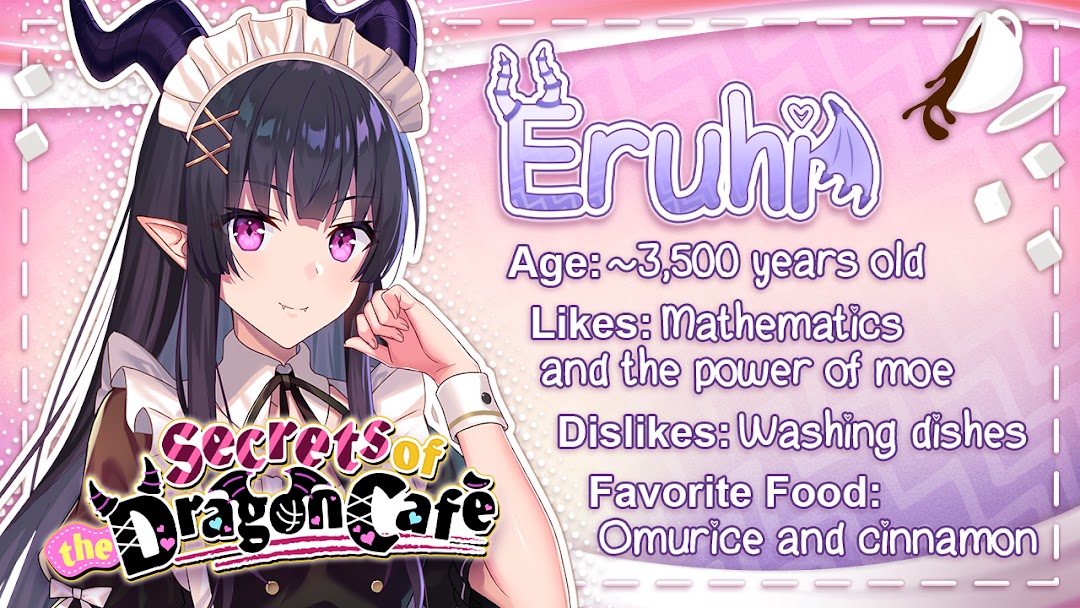
Eruhi - The Spearhead
Diligent and protective, Eruhi encourages her fellow maids to forge bridges with their customers at every opportunity—and not just to keep the café afloat. Her ambitions are much grander, and hold far more at stake for herself and her charges. Shackled with these weighty responsibilities, do you have what it takes to be her knight in shining armor?
Ririka - The Firebrand
Don't let her demure looks deceive you—Ririka has a hot temper with a bone to pick that may just turn out to be yours! Her sharp tongue and distrustful nature make her a nightmare to work with, but maybe a bard can soothe the savage beast. It will take a stout heart to weather such a firestorm, so better to ask yourself—can you stand the heat?
Mireha - The Greenhorn
As the least experienced of the maids, Mireha struggles to find her place in a world that is difficult to navigate. With obvious charm and hidden potential, she’s still far from comfortable in her own skin, leaving her timid and shy. Will you be the one to slay her insecurities and allow her to soar, or is she destined to remain earthbound forever more?