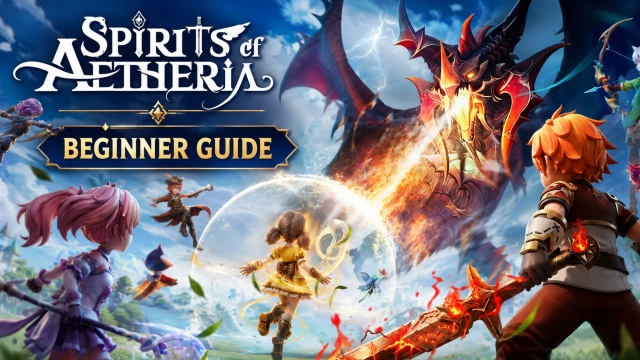
Embark on an epic fantasy adventure in Spirits of Aetheria, a heartwarming and visually stunning RPG where magical creatures and boundless creativity unite. Step into a radiant world filled with loyal companions, strategic battles, and limitless customization. As an adventurer in the realm of Aetheria, you will collect adorable Spirits, unlock their dynamic evolutions, and forge your own destiny with a revolutionary class-free progression system. Whether you are looking for intense tactical combat or a cozy, thriving social haven to hang out with friends, your ultimate fantasy journey begins here!
Core Gameplay & Features
-
Dynamic 3-Spirit Rotation System: Encounter and collect a wide variety of adorable Spirits, each with unique traits and powerful evolutions. Dominate real-time battles by strategically rotating up to three Spirits on the fly to turn the tides of war.
-
Class-Free Skill Trees: Unleash your true playstyle with limitless possibilities. Master hybrid roles without class restrictions—create a dual-element frost-and-flame Mage, a tornado-summoning Archer, or a stealthy Assassin tailored exactly to your tactical preference.
-
Fashion & Majestic Mounts Galore: Stand out in the vibrant landscapes of Aetheria! Customize your appearance with exclusive tier-advancing outfits, cute back-mounted companion Spirits, and a massive selection of majestic mounts ranging from sparkling Unicorns to fluffy Corgis.
-
A Thriving Social Haven: Explore a living world alongside friends or meet kindred spirits. Participate in cooperative guild events, tackle challenging group bosses, or simply relax and enjoy the breathtaking views with your loyal companions.
Players are captivated by Spirits of Aetheria for its refreshing tactical freedom, charming aesthetic, and a welcoming community space that perfectly balances deep RPG customization with accessible, engaging gameplay.
Play Spirits of Aetheria on PC with LDPlayer for Best Experience
-
Flawless Spirit Rotation with Keymapping: Managing a 3-Spirit rotation system alongside a class-free skill tree requires rapid inputs. LDPlayer allows you to map your skills, item slots, and character swaps to a keyboard and mouse, ensuring fluid, uninterrupted combos during intense boss fights.
-
Multi-Instance for the Ultimate Spirit Squad: Want to secure the rarest and strongest evolutionary Spirits from the very start? Use LDPlayer’s Multi-Instance tool to run multiple accounts simultaneously, making the gacha reroll process incredibly fast and efficient at launch.
-
Immersive Big Screen Visuals: Do not let a small mobile screen diminish the vibrant colors, beautifully animated Spirits, and detailed custom fashion tiers of Aetheria. Experience this heartwarming fantasy world in full high-definition on a large PC monitor.
-
Stable, Battery-Free Gaming: Enjoy long hours of story exploration, social gatherings, and resource grinding without worrying about your mobile device overheating, lagging, or running out of battery mid-quest.
-
Automated Macros for Daily Tasks: Streamline your routine. Record simple macro scripts within LDPlayer to automate repetitive daily quests or material farming, letting you focus on the deep customization and tactical battles.
Unleash your creativity, bond with powerful magical allies, and explore a radiant new world—download Spirits of Aetheria on PC and master your fantasy adventure with LDPlayer!