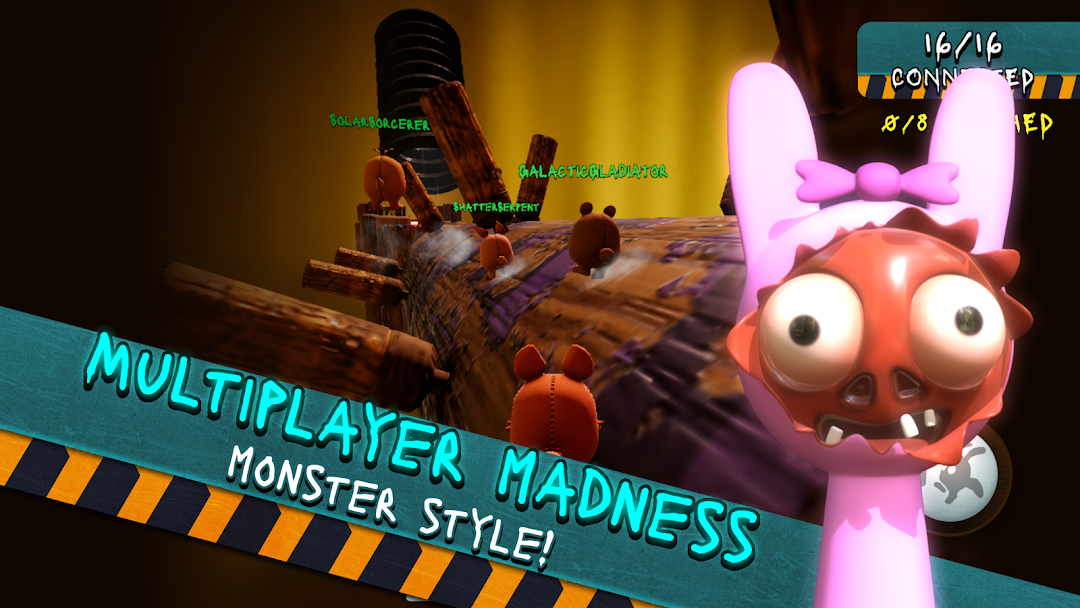
Sprunki Horror Race is a Action game developed by Bejan Alexandru, and LDPlayer is the best platform for playing Sprunki Horror Race on PC, offering powerful features to immerse you in the game.
When playing Sprunki Horror Race on computer, you can adjust frame rate settings for smooth gameplay and stunning visuals.
LDPlayer also provides pre-configured keyboard mapping for convenient control of the entire game. Continuous optimization of keyboard mapping enhances key sensitivity and skill accuracy. Additionally, LDPlayer offers special buttons like shoot, hide mouse, and continuous key press for an enhanced gaming experience.
If you prefer using a gamepad, the automatic gamepad detection allows you to customize controls with just a few clicks, enabling you to freely maneuver your hero. Start downloading and playing Sprunki Horror Race on your computer now!
"Get ready for an incredible, heart-pounding adventure in Sprunki Horror Race, the 3D multiplayer racing game that combines excitement, speed, and beatbox style fun! Compete against incredible players from around the world in a thrilling race full of dynamic obstacles and spooky challenges.In Sprunki Horror Race, every player has the same abilities, so this game is all about your strategic thinking and quick reflexes. Master the art of jumping, dodging and navigating through horror-themed mods where every corner holds a new surprise. This game is designed to test not only your speed, but your ability to outwit your opponents and become the ultimate beat master.
Key Features:
Multiplayer racing fun: Challenge friends and players worldwide in real-time races that will get your heart pumping.
Horror-themed tracks: Navigate through spooky, beat-filled courses with unique challenges.
Level Playing Field: All characters have the same abilities, so it's all about your skill and quick decision-making.
Dynamic obstacles: Face thrilling traps and surprises that push your driving skills to the limit.
Beat the competition: Create your winning strategy and pump it up as you sprint to victory.
Do you have what it takes to be the fastest, smartest and most incredible racer in Sprunki Horror Race? Sign up now and show the world who's the real beatbox champion!"