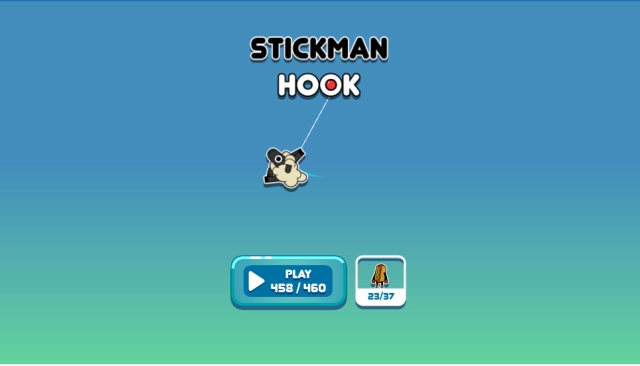
Stickman Hook is a Arcade application developed by Madbox, but with the best Android emulator-LDPlayer, you can download and play Stickman Hook on your computer.
Running Stickman Hook on your computer allows you to browse clearly on a large screen, and controlling the application with a mouse and keyboard is much faster than using touchscreen, all while never having to worry about device battery issues.
With multi-instance and synchronization features, you can even run multiple applications and accounts on your PC.
And file sharing makes sharing images, videos, and files incredibly easy.
Download Stickman Hook and run it on your PC. Enjoy the large screen and high-definition quality on your PC!
Discover Stickman Hook, the new MadBox game.Tap to hook and make incredible jumps; Avoid every obstacle that stands in your way. Can you execute all these acrobatic tricks in a row like a boss? Will you be the first survivor to cross the finish line?
In this game, embody the spider stickman.
Finish all the levels with the same agility as a spider.
For that, you just have to:
- Tap to hook and make incredible jumps
- Press your screen to hook your stickman with your grapnel and release to let go
- Avoid every obstacle that stands in your way
- Swing from hook to hook to pass all the levels
Thanks to the bumpers and your grapnel, execute acrobatic tricks and show your friends who is the boss! You think you can do better than a spider? Prove it!
The faster you go, the more amazing your tricks will be.
Why is Stickman hook so perfect?
- Because you can swing like a spider
- Because your stickman dances at the end of each game (We challenge you to reproduce his dance)
- Because there is a grappling hook (and grapples are cool, right?)
You LOVE Stickman Hook? Discover all the MadBox games here : https://play.google.com/store/apps/dev?id=5783349908488911518
You want to share videos or screenshoot of your best performance on Stickman Hook, post theme here: https://www.facebook.com/madbox.apps/
If you dance better than our stickman, please prove it! :sunglasses:: https://www.facebook.com/Stickman-Hook-343939029681779/
And obviously if you have any request, please, contact us : contact@madboxgames.io
We make casual moments turn into mad adventures!
We’re a gaming studio composed of ‘Casually Mad’ game makers. We produce all of our games internally. We live to tell unique stories and express those in the games we create for players around the world. This passion is echoed by millions that enjoy playing our games like Stickman Hook, Parkour Race and Sausage Flip. Play with us and see what’s next!
Let’s hear from you! Join the official Madbox Discord server and share your thoughts. https://bit.ly/35Td03Y
Looking for the latest fun and more? Check us out on Instagram - https://bit.ly/3eHq3YF