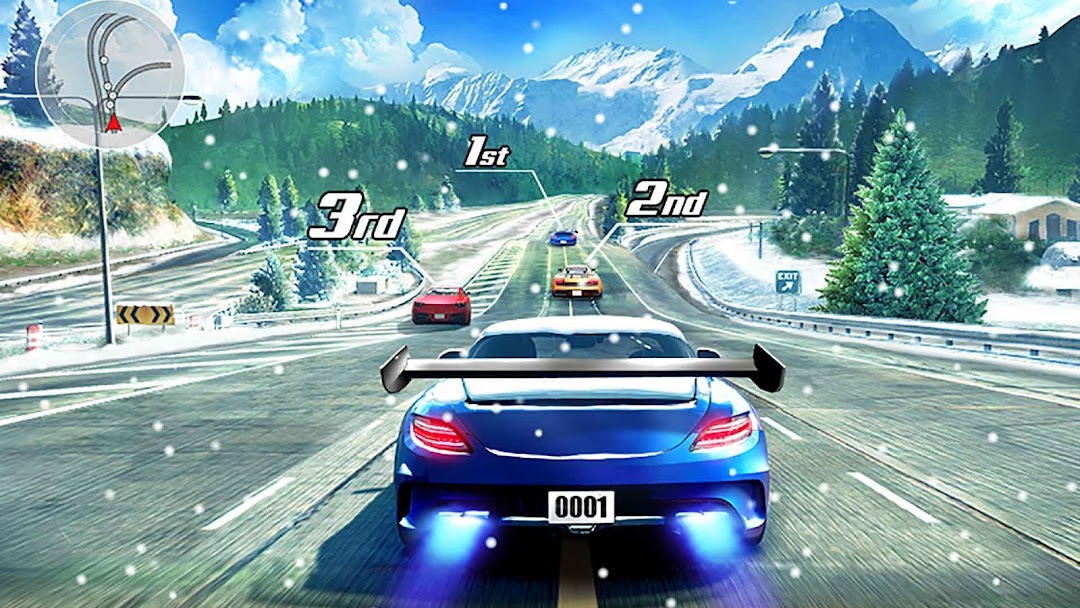
Street Racing 3D is a Racing game developed by Ivy. LDPlayer is the best platform for playing Street Racing 3D on Windows PC, providing robust features to help you achieve an immersive experience in Street Racing 3D.
When playing Street Racing 3D on your computer, if you prefer using your own gamepad to control the game, LDPlayer's automatic gamepad detection can assist you in customizing controls with just a few simple clicks, allowing you to enjoy more realistic racing scenes and challenges.
With support for high frame rates, the game's diverse track designs and rich terrain and environmental changes become even more lifelike and detailed.
Additionally, the video recording feature makes it easy for you to capture all the exciting and amusing races and game content, making it convenient to share with friends or create videos. Start downloading and playing Street Racing 3D on your computer now!
Free street racing 3D car game!Drive a top-class sports car, join the top street racing camp!
Real racing, drift in the asphalt. Racing in multiple races, driving on the streets, full of exciting challenges, and the world's professional racers compete to become a street legend!
Start driving in unique car or never seen before on the asphalt tracks. start your racer, the world's top-class racing cars for you to choose! Upgrade turbo engine, find the tune for your car, colorful paints and cool stickers.
Race in different modes of street scene, Show your rivals amazing speed in real competition. Unbelievable turns, Driving skill need to exercise in the different mode competition, so start racing in arcade style, perform amazing stunts. Unique mix of arcade action and simulation way of driving. Start driving and earning rewards, collect coins and diamonds on the street asphalt. Drag your Career and PVPevent into high stake racing.
Street Racing 3D Features:
► Street themed asphalt racing
► Challenge friends, start a fierce racing on the PVP track
► Drive 30+ extreme cars
► High speed racing in street
► Real drift racing for speed
► Leader board score, you are the king of speed
► Create your car, show the perfect look: decals, paints, wheel, etc.
► Collect as many coins and diamonds as possible
► High-speed racing mode, driving technology is the first
► Win the PVP event, get a great reward
Street racing 3D has already started, drive your turbo car with the fast speed in the street asphalt. Racing is the best checking for your skills. Experience drift speed in the road, be the king of car racers.
Welcome to join our Facebook Homepage : https://www.facebook.com/realdriftracing/