Subway Simulator 2D is a Simulation application developed by Daniel Viktorin, but with the best Android emulator-LDPlayer, you can download and play Subway Simulator 2D on your computer.
Running Subway Simulator 2D on your computer allows you to browse clearly on a large screen, and controlling the application with a mouse and keyboard is much faster than using touchscreen, all while never having to worry about device battery issues.
With multi-instance and synchronization features, you can even run multiple applications and accounts on your PC.
And file sharing makes sharing images, videos, and files incredibly easy.
Download Subway Simulator 2D and run it on your PC. Enjoy the large screen and high-definition quality on your PC!
Become a subway train driver and explore the whole metro system of the city (89 unique stations on 21 lines) which contains more than 100 kilometers of underground, overground, and underwater rails. Experience what it takes to be a subway train operator in this railroad driving simulation game and transport as many passengers as you can across the rapid transit system. Learn a real subway signaling system, drive the train at an appropriate speed, stop carefully at the end of each station, pick up all passengers, and get to the final station as soon as possible.There are a lot of things to do in the game. Earn coins by transporting fully animated passengers to unlock new metro lines and useful train upgrades, get huge rewards by discovering new stations, change the look of any train to your liking, study the city map to get better knowledge of the whole metro system, enjoy driving in the opposite direction, beat your time records, or just enjoy realistic sounds you have never heard in any subway simulator during driving a train.
Subway Simulator 2D features:
- Explore the giant city with 89 unique stations on 21 lines
- Drive through 3 types of railroad (underground, overground, underwater)
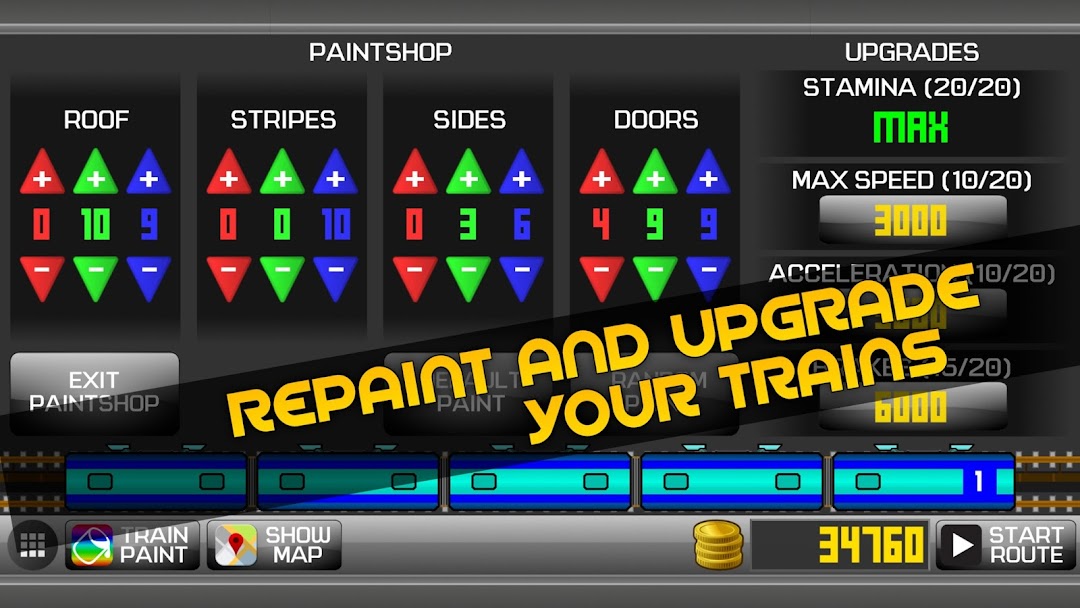
- Upgrade the maximal speed, acceleration, and brakes of your trains to progress faster
- Upgrade your stamina to explore new areas and get closer to the final station
- Learn the real subway signaling system (traffic lights) in a progressive and simple tutorial
- Visit a mini paint shop to change the paint of your trains to your liking
- Meet trains going in the opposite direction across the metro system
- Simple game controls (power button, brake button, door button)
- Real train and ambient sounds
There is no time to waste, driver! Get into the cabin and enjoy driving in the Subway Simulator 2D, the biggest world of subways you have ever seen in one game!