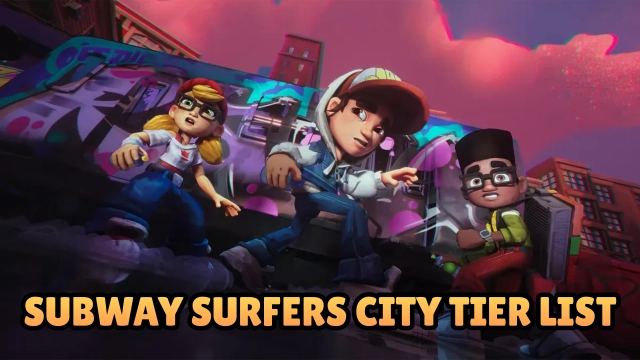
Subway Surfers City is a vibrant endless runner developed by SYBO Games, bringing exciting new mechanics and twists to the beloved mobile franchise. Set in the lively, secret corners of Subway City, players run, jump, and stomp to escape the Guard and his Dog while uncovering Secret Stars and completing adrenaline-pumping Trials. With a seamless blend of classic high-score chases and an all-new City Tour, alongside customizable Surfers and Boards with unique abilities, Subway Surfers City delivers a thrilling parkour adventure that expands upon a global gaming phenomenon.
Core Gameplay & Features
-
Choose Your Adventure: Switch seamlessly between the classic, thrilling endless runs to chase a new high score, or progress through the objective-based, all-new City Tour.
-
New Mechanics & Secrets: Master new jumping and stomping mechanics to navigate fresh hurdles. Reach new depths and heights to discover hard-to-reach Secret Stars.
-
Upgradeable Surfers & Boards: Jake, Tricky, Fresh, and Yutani are back! Collect tokens to unlock and upgrade your favorite runners and boards. Combine their unique abilities to build the ultimate Crew and play your way.
-
Dynamic Power-Ups: Boost your runs with brand-new perks. Use Bubblegum for shields, batteries to superpower your hoverboards, and drones to fly to the highest points of the city.
-
Missions, Trials & Districts: Earn XP to unlock lively new Districts. Play smart to complete crew missions for big rewards, or test your reflexes in high-stakes, limited-time Trials.
-
Offline Play: Take the adventure anywhere. Enjoy the core running experience even without a Wi-Fi or internet connection.
Why Players Love It: Millions of players love the Subway Surfers universe, and "City" takes it to the next level. It retains the addictive swipe-to-dodge mechanics while adding RPG-lite elements like upgrading gear, utilizing unique abilities, and exploring diverse districts, making every run feel fresh and rewarding.
Play Subway Surfers City on PC with LDPlayer for Best Experience
-
Bigger Screen, Better Reflexes: Experience the vibrant, fast-paced world of Subway City on a full HD monitor. A larger screen makes it much easier to spot upcoming obstacles, hidden Secret Stars, and power-ups from a distance.
-
Custom Keyboard Controls: Ditch the touchscreen friction. Use LDPlayer's keymapping to bind your movements to WASD or arrow keys. Execute lightning-fast lane changes, jumps, and stomps with the mechanical precision of a keyboard.
-
High FPS & Smooth Graphics: Maintain a flawless, stutter-free frame rate. Smooth visuals and responsive input are crucial for surviving high-speed chases and conquering difficult Trials.
-
Battery-Free Grinding: Grind for Surfer tokens, explore new Districts, and chase high scores for hours without draining your phone battery, dealing with device overheating, or being interrupted by calls.
Ready to run? Download Subway Surfers City on PC with LDPlayer and lead your Crew to the highest scores!