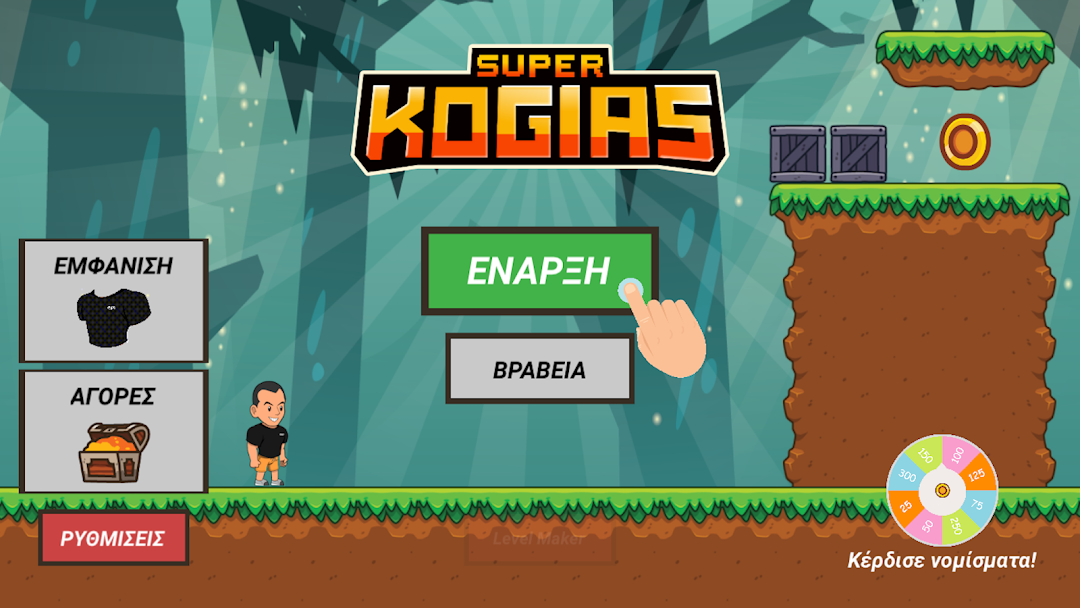
Kogias Steak Wars is a Adventure application developed by Green Blue Interactive, but with the best Android emulator-LDPlayer, you can download and play Kogias Steak Wars on your computer.
Running Kogias Steak Wars on your computer allows you to browse clearly on a large screen, and controlling the application with a mouse and keyboard is much faster than using touchscreen, all while never having to worry about device battery issues.
With multi-instance and synchronization features, you can even run multiple applications and accounts on your PC.
And file sharing makes sharing images, videos, and files incredibly easy.
Download Kogias Steak Wars and run it on your PC. Enjoy the large screen and high-definition quality on your PC!
The Steak Kingdom is in danger!The Brizolians asked for the help of the greatest hero on Earth!
Super Koyas couldn't refuse!
The adventure begins!
How is the game played?
Chris moves left and right and jumps by pressing the mismatched buttons on your device screen!
He also launches awesome chops at his opponents!
Caution!
Sly turtles, crazy snails, wild boars, flying spikes and more will try to defeat you!
Also every 3 tracks a big opponent - big boss!
How does Chris change his appearance?
In the menu press the "VIEW" button to buy tops, pants and haircuts!
You buy them with diamonds!
With the coins you collect from the tracks you spin the lucky wheel and win diamonds!
Choice of difficulty!
We recommend playing on the normal difficulty level.
With a little practice you will complete all the tracks and enjoy the game as it was really designed!
Those of you who don't have the experience or the time can choose an easier difficulty level (it changes whenever you want) to activate the stars that make you invincible!
Don't like ads?
You can remove them by clicking the "BUY" button in the menu.
What are the prizes?
Whether completing tracks or defeating opponents you'll earn prizes as a reward for your exploits!
Upgrades / Updates!
Updates will be made available frequently.
In them you will find new tracks and improvements to keep making the game bigger and better!