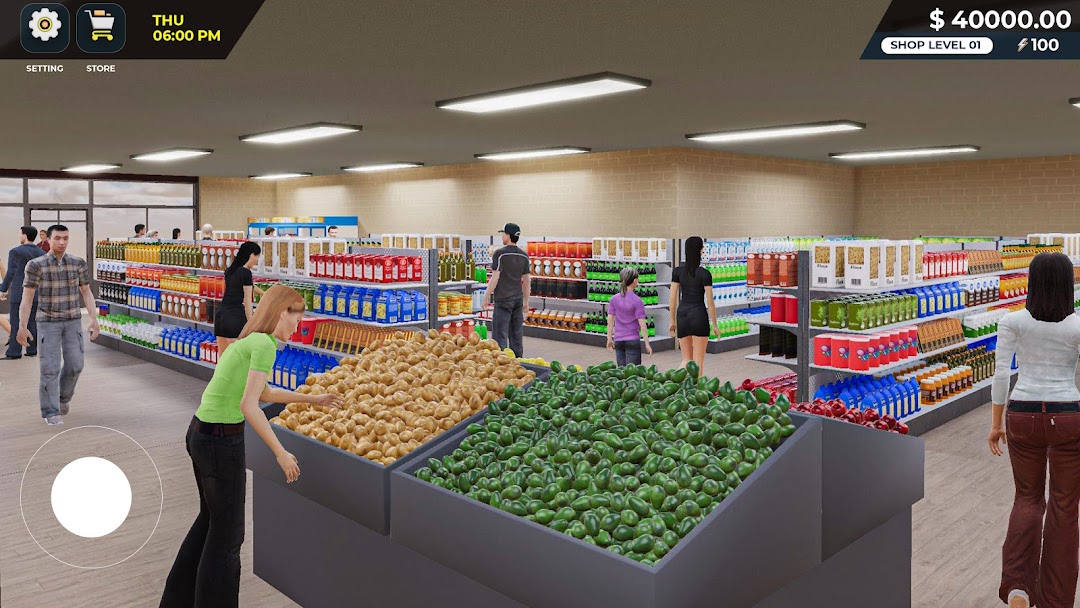
Supermarket Store Manager 3D is a Simulation application developed by Mass Gamez, but with the best Android emulator-LDPlayer, you can download and play Supermarket Store Manager 3D on your computer.
Running Supermarket Store Manager 3D on your computer allows you to browse clearly on a large screen, and controlling the application with a mouse and keyboard is much faster than using touchscreen, all while never having to worry about device battery issues.
With multi-instance and synchronization features, you can even run multiple applications and accounts on your PC.
And file sharing makes sharing images, videos, and files incredibly easy.
Download Supermarket Store Manager 3D and run it on your PC. Enjoy the large screen and high-definition quality on your PC!
Welcome to Supermarket Store Manager 3D, run your own business empire! Begin your entrepreneurial career by opening your own store, become the supermarket manager and progressively expanding it into the ideal supermarket simulator. Rise to the challenge and become a renowned manager simulator, propelling your business to prominence.In order to ensure that all of your own running store items are constantly available, keep inventory under control. Place orders, bargain prices, and keep up with trends in the market to attract consumers. Stock your supermarket simulator with a variety of items, including chips & fries, dairy items, beverages, meat, fresh vegetables & fruits. Purchase these things inexpensively online and put them on store shelves. You'll have the opportunity to expand your store as supermarket manager simulator, adding new departments and sections. Earn enough capital to acquire licenses that allow you to introduce a wider variety of products., increasing its size and providing excellent service. Launch promotions and provide competitive prices to achieve quick sales. Manage cash and credit card transactions.
Key Features:
- Realistic Store Management: Control every aspect of your supermarket store, from stock management to customer service.
- Expansion Opportunities: Grow your store by acquiring new licenses and adding more product lines.
- Dynamic Customer Interactions: Engage with customers, address their needs, and keep them coming back.
- Customization: Personalize your store’s layout and design to reflect your vision and maximize sales.
- Business Challenges: Face real-world scenarios as a manager simulator and challenges that test your management skills.
Are you ready to create the supermarket store destination? Dive into Supermarket Store Manager 3D and transform your humble grocery store into a retail powerhouse!