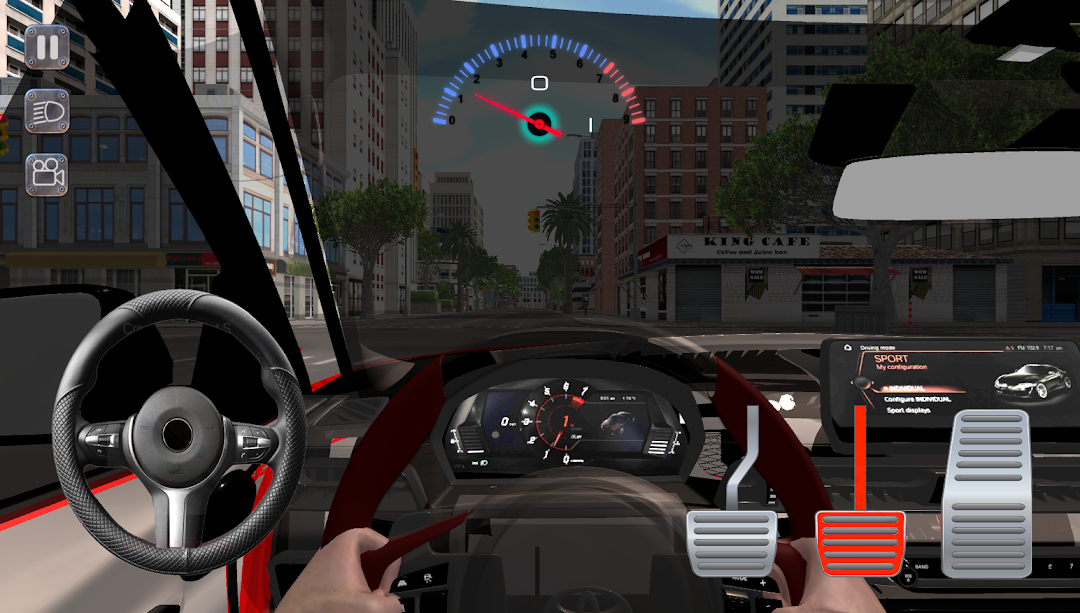
Supra Car Driving Parking Game is a Simulation application developed by NeysApp, but with the best Android emulator-LDPlayer, you can download and play Supra Car Driving Parking Game on your computer.
Running Supra Car Driving Parking Game on your computer allows you to browse clearly on a large screen, and controlling the application with a mouse and keyboard is much faster than using touchscreen, all while never having to worry about device battery issues.
With multi-instance and synchronization features, you can even run multiple applications and accounts on your PC.
And file sharing makes sharing images, videos, and files incredibly easy.
Download Supra Car Driving Parking Game and run it on your PC. Enjoy the large screen and high-definition quality on your PC!
There are two types of game modes.1- Free driving in the city.
2- Parking a car
Are you ready to test your driving skills and become a parking master? Fasten your seat belts and prepare for the ultimate challenge in this immersive driving simulation game! Whether you're a casual gamer or a seasoned pro, Supra Car Driving Parking offers something for everyone.
Supra cars are produced in Japan.
Game Features:
- Realistic Driving Physics: Experience the thrill of realistic car driving while navigating challenging environments.
- Parking Challenges: Test your parking skills with a variety of challenging parking scenarios.
- Diverse Environments: Explore different environments, each with their own unique challenges, including city streets, highways, and parking lots.
How to play:
Use on-screen controls to steer, accelerate and brake.
Go over the obstacles and park your car in the designated parking spot.
Complete each level to unlock new challenges.
Are you ready to test your driving skills? Download Supra Car Driving Parking now and embark on an exciting journey full of exciting driving challenges and parking adventures!