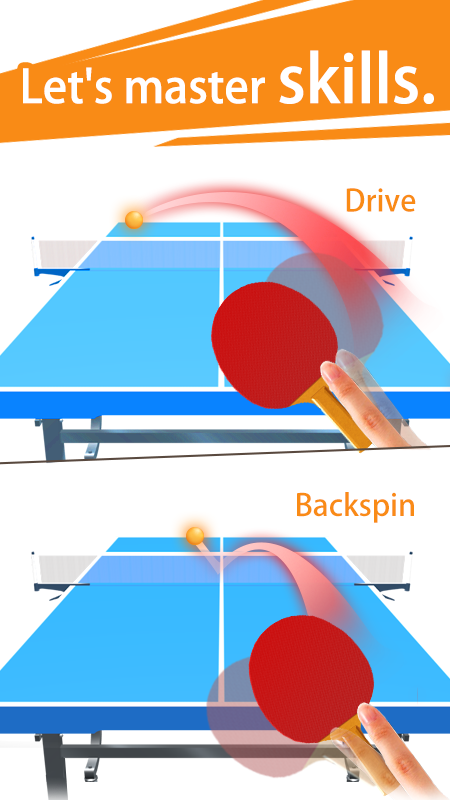
Table Tennis 3D Ping Pong Game is a Sports game developed by Cross Field Inc.. LDPlayer is the best platform for playing Table Tennis 3D Ping Pong Game on Windows PC, offering powerful features to enhance your immersive experience in Table Tennis 3D Ping Pong Game.
When playing Table Tennis 3D Ping Pong Game on your computer, the larger screen and more powerful graphics performance enable you to enjoy clearer and smoother game visuals, enhancing the visual experience of the game.
The operation of peripherals such as gamepads is emulated to better mimic the feel of real sports, providing more precise control and richer operation options.
Furthermore, if you wish to execute a series of continuous key combinations, the one-click macro feature will be the functionality you've been dreaming of, allowing you to effortlessly stay one step ahead with one-touch operation. Start downloading and playing Table Tennis 3D Ping Pong Game on your computer now!
The definitive edition of popular table tennis game appeared! ! !Featuring realistic physical behaviors and intuitive operability!
★ Manipulate rotation with easy operation! Let's aim for the course and decide a pleasant smash!
We aim to be able to operate rotation with intuitive operation such as cut and drive
Please enjoy the exhilaration feeling when you earn points by the target course with the aimed rotation
Physical behavior also reproduces realistic things, so you can enjoy table tennis without discomfort
★ Easy to play against AI of your favorite strength against free match!
Recommended for those proud of the arm who wants to challenge suddenly strong AI!
The game setting can also set 3 to 11 points and 1or 3 game system,
Even if you want to play for a couple of minutes in free time, even if you want to do more than 10 minutes, you can play with just good time!
Since the difficulty level is also attached, you can choose the strength that is most suitable for you.
★ Let 's ahead of stage with opponent AI that gradually becomes stronger!
Stage mode is a mode in which it is easier and more difficult to play the stage.
The first stage is pretty easy to set, but as you go forward you will be able to enjoy a strong match.
There is no doubt that you will be enthusiastic because the battle at the gimmick stage is also in stage mode!
Recommended for those who want to progress while winning quickly!
Also, the racket will be released according to the degree of progress.
★ Let's aim for the world ranking No. 1!
Let's beat the CPU that is gradually getting stronger and aim for the first place in table tennis world ranking
If you win it will be able to compete with the CPU becoming more powerful as you win!
The racket will be released when the ranking reaches a certain rank.
Let's find one favorite!
★ strategy to target the course!
Let's break the opponent by separating the balls in front and behind and left and right.
When your opponent's battle is severe, earn time to strike Rob to rebuild.
By the movement of the racket after hitting the ball, you can spin on the ball.
★ Rackets of various designs appear!
Since the status is different depending on the racket, let's look for your favorite racket.
★ The rules of table tennis are the same as those of reality
· Player alternately repeats service two times.
· If a ping-pong ball bounces on his or her table, it will hit it.
· If the opponent gets ping-pong balls hitting the net,
If you hit anything other than a bench or score 2, you get a goal.
· When the score is 10: 10, the game will continue until either leads two leads.
· The player who took the 11 points earlier takes the game and the one who got 2 games wins.
· In stage mode, you can play with special rules specified for each stage.
★ It is recommended for this person
· Those who like table tennis
· Those who were in the table tennis section
· People who want to spin on ball hitting in table tennis game
· People who are looking for a table tennis game to play in kill time