Tamil Tiles Word Game is a Word application developed by Sibi Sharanyan, but with the best Android emulator-LDPlayer, you can download and play Tamil Tiles Word Game on your computer.
Running Tamil Tiles Word Game on your computer allows you to browse clearly on a large screen, and controlling the application with a mouse and keyboard is much faster than using touchscreen, all while never having to worry about device battery issues.
With multi-instance and synchronization features, you can even run multiple applications and accounts on your PC.
And file sharing makes sharing images, videos, and files incredibly easy.
Download Tamil Tiles Word Game and run it on your PC. Enjoy the large screen and high-definition quality on your PC!
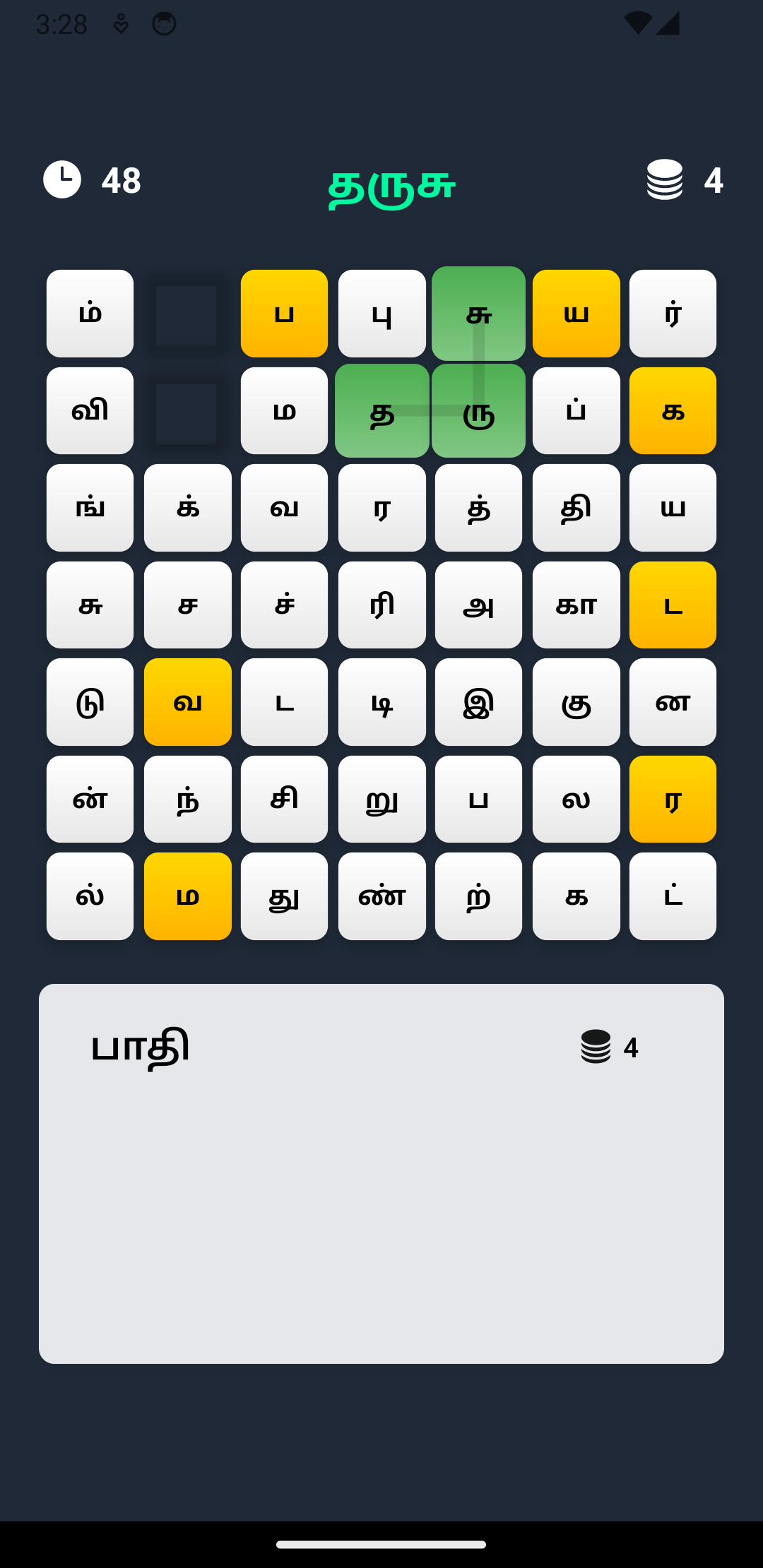
Introducing Tamil Tiles, the ultimate Tamil word game that challenges your vocabulary and speed. Dive deep into the rich Tamil language, connect letters, and form words to score points, all while racing against the clock!Key Features:
🔤 Grid-based Tamil Gameplay:
Discover a grid filled with Tamil letters. Your mission? Connect those tiles to craft valid words. Each word you form adds to your score, making every connection count!
⏳ Timed Challenges:
Test your vocabulary and speed. How many points can you rack up before the timer runs out?
💡 Expand Your Vocabulary:
Whether you're a Tamil language pro or just beginning, this game offers an engaging way to enhance your vocabulary and linguistic skills.
🔍 Intuitive and User-Friendly:
With a seamless interface and easy-to-understand mechanics, users of all ages can dive in and start forming words right away.
💖 For the Love of Tamil:
This game is crafted with care for Tamil enthusiasts. Dive into the game and celebrate the beauty and intricacy of the Tamil language.
More Features Coming Soon!
We are committed to enhancing your gaming experience. Regular updates will introduce new challenges, modes, and features!
Whether you're looking to challenge yourself, kill time, or learn and appreciate the Tamil language, Tamil Tiles is the game for you. Download now and embark on an enthralling word adventure!