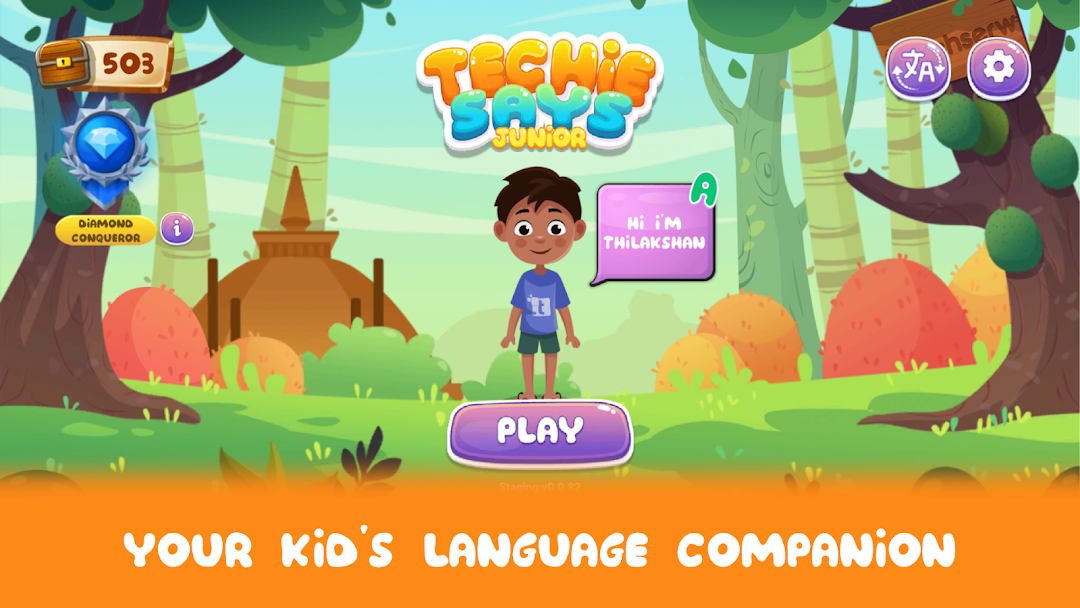
TechieSays: Kids Language App is a Educational application developed by Techserw, but with the best Android emulator-LDPlayer, you can download and play TechieSays: Kids Language App on your computer.
Running TechieSays: Kids Language App on your computer allows you to browse clearly on a large screen, and controlling the application with a mouse and keyboard is much faster than using touchscreen, all while never having to worry about device battery issues.
With multi-instance and synchronization features, you can even run multiple applications and accounts on your PC.
And file sharing makes sharing images, videos, and files incredibly easy.
Download TechieSays: Kids Language App and run it on your PC. Enjoy the large screen and high-definition quality on your PC!
TechieSays Junior is the fun, interactive way for your child to learn English, Tamil, and Sinhala!Designed for curious minds aged 2 to 7, our app offers a vibrant world of language learning through engaging games and activities. Watch as your child's vocabulary expands, pronunciation improves, and love for learning grows.
With TechieSays Junior, learning is a game! Our carefully crafted lessons are designed to be both educational and entertaining, ensuring your child stays motivated and engaged. From phonics and vocabulary to grammar, we cover all aspects of language development in a playful way.
We understand the importance of parental involvement. That's why we've included features like parental controls and progress reports to support your child's learning journey. You can track their progress, set learning goals, and create a personalized learning experience.
TechieSays Junior is dedicated to fostering language development in young children. As an educational app designed for toddlers, preschoolers, and kindergarteners, we lay a strong foundation for future learning. Before your child steps into preschool, TechieSays Junior helps build essential vocabulary and cognitive skills. Our app is more than just education; it’s a fun and engaging journey of discovery that enhances early childhood development.
Key features to highlight:
Engaging language learning for kids aged 2-7
Interactive games and activities
Parental controls and progress tracking
Fun and effective learning methods
Multilingual content (English, Tamil, Sinhala)
Improve cognitive skills
Daily assessments
Access to 2500+ word
Teaching a good manner daily
Learn while playing
Story mode learning
Learning contents are fully prepared without AI
Teachers approved learning content
Guided by a child psychiatrist
Watch your child thrive with TechieSays Junior! Our fun and engaging app makes learning English, Tamil, and Sinhala delightful. Designed for toddlers, preschoolers, and kindergarteners, we offer interactive games, captivating activities, and expert-crafted lessons to build a strong language foundation.
Join the TechieSays Junior community and unlock a world of language possibilities for your child. Download now and let the learning begin!