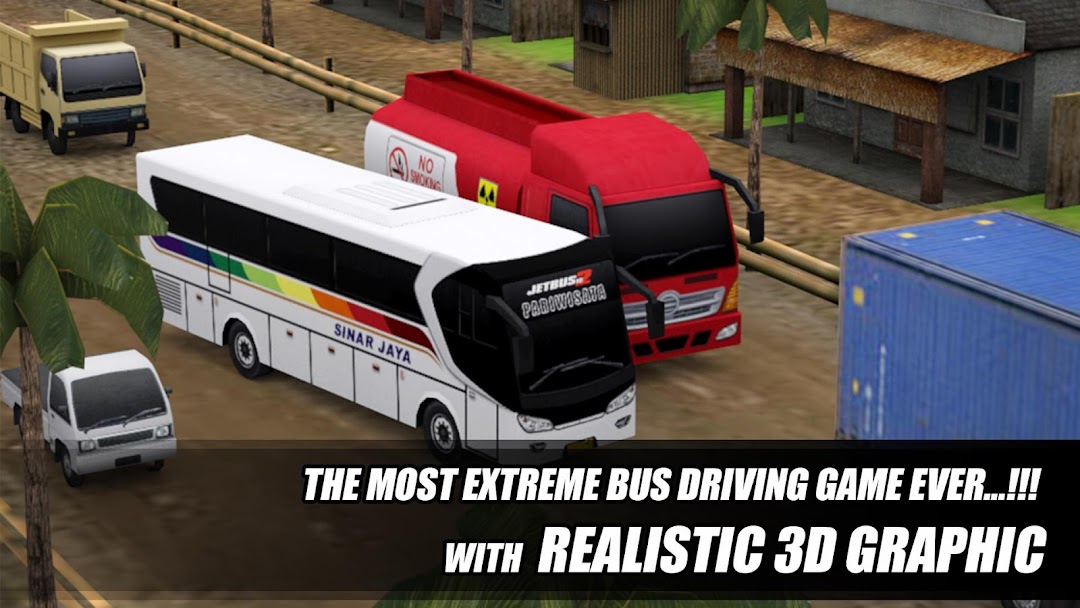
Telolet Bus Driving 3D is a Racing game developed by LOCOS. LDPlayer is the best platform for playing Telolet Bus Driving 3D on Windows PC, providing robust features to help you achieve an immersive experience in Telolet Bus Driving 3D.
When playing Telolet Bus Driving 3D on your computer, if you prefer using your own gamepad to control the game, LDPlayer's automatic gamepad detection can assist you in customizing controls with just a few simple clicks, allowing you to enjoy more realistic racing scenes and challenges.
With support for high frame rates, the game's diverse track designs and rich terrain and environmental changes become even more lifelike and detailed.
Additionally, the video recording feature makes it easy for you to capture all the exciting and amusing races and game content, making it convenient to share with friends or create videos. Start downloading and playing Telolet Bus Driving 3D on your computer now!
The most fenomenal viral...Om Telolet Om :)Telolet Bus Driving 3D is a breakthrough game in the genre of endless arcade driving with realistic 3D graphic and control. Ride through the Indonesian highway traffic cars (mikrolet, metromini, kopaja, truck, etc) with a really cool bus and make the kids happy by honking your unique telolet bus horn.
Try to be the most famous bus driver that overcome thousands kilometres and most telolet done ever in leaderboard. Proves yourself as the best by achieve much challenging achievements. Bus driving never been so easy and fun! This is a game that many have been waiting for!
Unlock new buses, upgrade it, collect fun telolet horn melodies, earn coins by evading traffic, and ride as far as you can.
Happiness is Simple...!!!
KEY FEATURES
- Stunning 3D graphics.
- Smooth and realistic car handling (button or tilt).
- Many buses to choose from.
- 3 famous location in Indonesia: Pantura, Kampoeng, and Cipali.
- 3 mode to play: One Way, Rush Hour, and Two Wat.
- Rich types of NPC Indonesia traffic including mikrolet, metromini, kopaja, trucks, etc.
- Attribute upgrades.
- Challenging daily mission.
- Online Leaderboards and Achievements.
TIPS
- Farther you ride, bigger you score and get more coins.
- The faster you drive the more coin you get
- When driving over 65 kmh, let the kids listen to your Telolet to get bonus scores and coins.
- Collect FUEL JERRY CAN to refill your bus fuel tank in One Way Mode.
- Drive fast as long as you can in a packed traffic in Rush Hour Mode to get more coins.
- Drive in opposing direction in Two Way Mode to collect more coins.
Please rate and give your feedback for further improvement of the game.
Contact us :
now.locos@gmail.com
Review from Dunia Games
https://duniagames.co.id/news/1221-telolet-bus-driving-3d-waktunya-tancap-gas-dan-bertelolet-ria?utm_source=dgsm&utm_medium=facebookdg&utm_campaign=games