
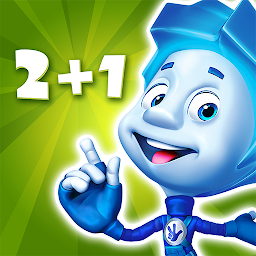


The Fixies Math Learning Games is a Educational application developed by InfoSoftProm LLC, but with the best Android emulator-LDPlayer, you can download and play The Fixies Math Learning Games on your computer.
Running The Fixies Math Learning Games on your computer allows you to browse clearly on a large screen, and controlling the application with a mouse and keyboard is much faster than using touchscreen, all while never having to worry about device battery issues.
With multi-instance and synchronization features, you can even run multiple applications and accounts on your PC.
And file sharing makes sharing images, videos, and files incredibly easy.
Download The Fixies Math Learning Games and run it on your PC. Enjoy the large screen and high-definition quality on your PC!
The Fixies (also known as Fiksiki) is one of the best educational games for kids in the market. This is cool math! Thanks to the edu apps, children learn arithmetic: boys and girls learn to count, to add and subtract. They learn numbers, shapes, and how to tell the time on a clock together with the pixies – the main characters of the hit animated series The Fixies!The tasks have been developed with child psychologists in order to make the process of learning everyday mathematics easy and enjoyable. According to parents, it is the best educational game and math trainer ever produced.
Thanks to the app, most of the children surveyed were able to answer simple mathematical questions and read the clock after just a week of playing with the pixies.
Teaching mathematics to preschoolers has been tested in kindergarten groups ( PRE K ) and has been recognized as useful by their teachers. The educators are happy with the results and have included the fun math for kids in their lesson plans.
EDU CONTENT
In the app the pixies help toddler master the following topics:
Learning numbers and arithmetics
– Addition and subtraction from 1 to 10, 10 to 20. Problem solving
– Number pairs
– Counting by tens
– Training about coins
Geometric shapes
– What shape does an object look like?
– What are polygons?
– Logic squares
– Tangrams with the Fiksiki
Orientation and direction
– Drawing grids with the fixiki
– Left and right
– Charging the batteries (left-right-up-down)
Learning to read a clock and tell the time.
– Setting the time by turning clock hands
Your will not get bored training to count thanks to the fun maths games and the built-in adventure. The stars of the hit animated series The Fixies have to solve mathematical problems in order to build a rocket! And they want us to build the rocket together!
The cool mathematics has been developed specially for ‘ PRE K ’ children aged 5, 6, 7, 8, 9 years old. It is full of animation and colorful graphics with Fiksiki. The characters and tasks are fully voiced. The interface is simple and child-friendly.
Your 5-7 year old child is going to love playing educational count ( problem solving ) with the pixies. And with teachers as good as the fixiki, parents can feel free to relax!
The arithmetic contains many interesting edu levels and a number of free for kids. To get the full version and all of its fun learning apps, an in-app purchase is required.
We will continue to develop the app for children. You can get all the new levels for free – by just updating the app in the appstore.
If you like edu cool mathematics with the Fixies, please rate our educational game for kids in order to recommend it to other families who love fun training arithmetic and thinking trough math.
1C - Publishing LLC
If you like our games, write to us:
mobile-edu@1c.ru
Privacy Policy https://1c.kz/privacy_mob.php
Terms of Use https://1c.kz/terms_of_use.php







