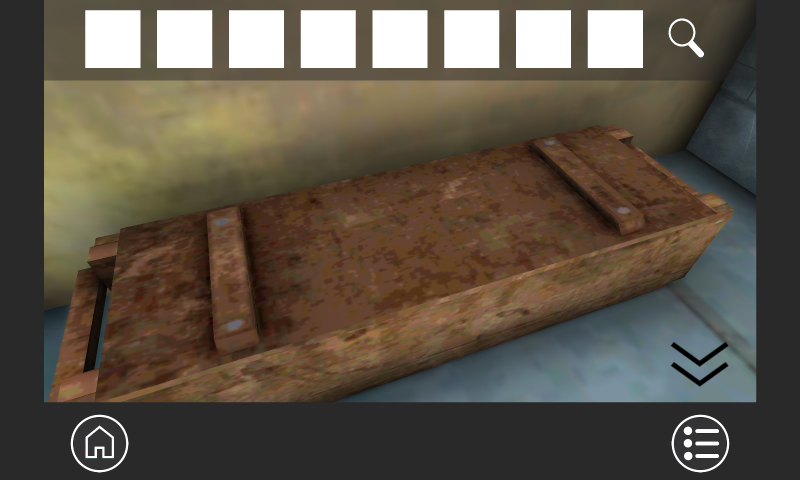


The Room -Escape Game- is a Puzzle application developed by u-creation, but with the best Android emulator-LDPlayer, you can download and play The Room -Escape Game- on your computer.
Running The Room -Escape Game- on your computer allows you to browse clearly on a large screen, and controlling the application with a mouse and keyboard is much faster than using touchscreen, all while never having to worry about device battery issues.
With multi-instance and synchronization features, you can even run multiple applications and accounts on your PC.
And file sharing makes sharing images, videos, and files incredibly easy.
Download The Room -Escape Game- and run it on your PC. Enjoy the large screen and high-definition quality on your PC!
Our escape game app offers a thrilling and challenging experience for players who enjoy solving puzzles and riddles. With multiple levels and exciting scenarios, you will have a great time trying to escape! Download now and see if you can beat the game.[How to play this game]
It is a simple game that can be played only by tapping.
Explore rooms and solve puzzles to get items.
This game is free to play until the end.
[How to use items]
Touch an item displayed in the item list to select it.
You can use the item by touching the item you want to use while the item is selected. Using an item properly removes it from your item list.
This game does not have the ability to combine items.
[Game difficulty]
Beginner to intermediate level.
I think that it falls into a relatively easy category in the escape game.
Let's get items lightly and aim for clear!
[Tips for clearing the game]
This game implements a hint function.
If you get stuck in the game, look at the hints and proceed with the game.
[Save function]
This game implements a save function.
Even if you stop the game in the middle, you can continue playing from where you left off by continuing the next time you play.