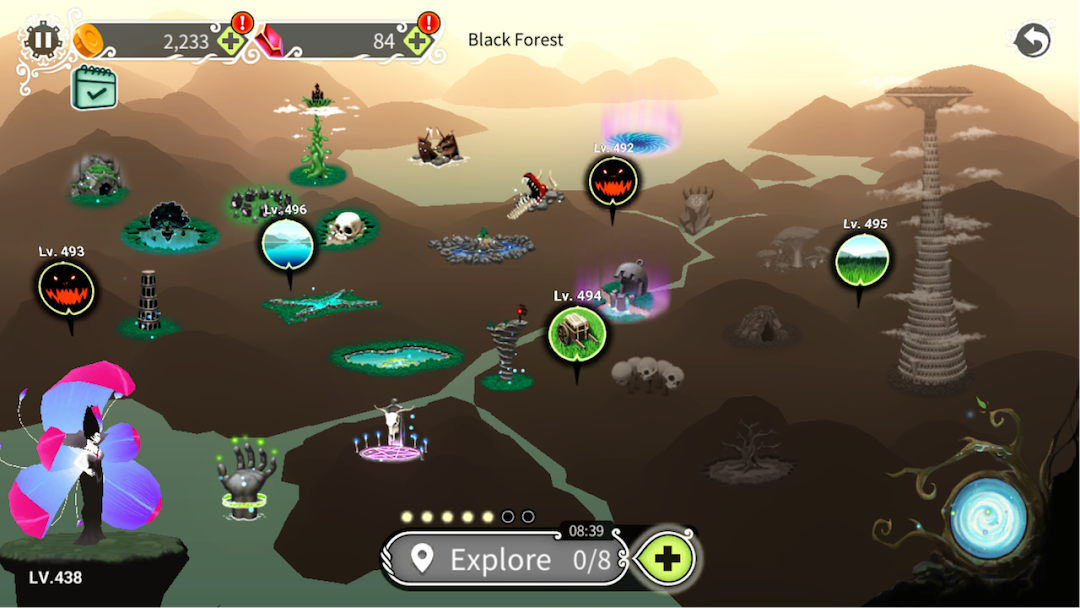
The Witch's Forest - Epic War is a Adventure application developed by Toward Inc, but with the best Android emulator-LDPlayer, you can download and play The Witch's Forest - Epic War on your computer.
Running The Witch's Forest - Epic War on your computer allows you to browse clearly on a large screen, and controlling the application with a mouse and keyboard is much faster than using touchscreen, all while never having to worry about device battery issues.
With multi-instance and synchronization features, you can even run multiple applications and accounts on your PC.
And file sharing makes sharing images, videos, and files incredibly easy.
Download The Witch's Forest - Epic War and run it on your PC. Enjoy the large screen and high-definition quality on your PC!
Unique style of Indie game, never seen before.Casual RPG to grow the world tree!
Feel free to play for as long as you like.
Black Forest Epic War!
The forest was beautiful and tranquil due to the World Tree and the witch, the sources of magic.
One day, the world tree began to burn because of an unknown power.
The witch, the guardian of the forest, lost her power, and the forest became contaminated.
Owing to the Light Sprite's sacrifice, the world tree began to sprout again, and the witch awakened.
Grow the World Tree to recover the magic power to purify the forest with the witch and reveal the mysterious power!
Explore the forest, collect sprites of nature, empower and upgrade them, fight monsters, and crush them. Save and recover the World Tree.
In this epic fantasy idle game, you take a role as a witch, as a commander of the army, as a keeper of the forest, fight monsters and purify the world.
■ Game Description
1. Collect spirits to restore the world's magic.
2. Explore the forest and collect various items.
3. Upgrade and craft equipment to strengthen your witch.
4. Purify the forest by defeating monsters.
5. Quick and easy clicker battles.
6. Decorate your witch with beautiful and unique hairstyles and wings.
7. Conquer the mysterious tower to reveal the source of your power.
※ We do not collect or use personal information.
※ Caution: Offline game
- All data is kept only on your device, so please use the cloud save.
- You can set the cloud save manually in the preferences of the game.
- You can load the cloud saved data only once at the first launch of the game.