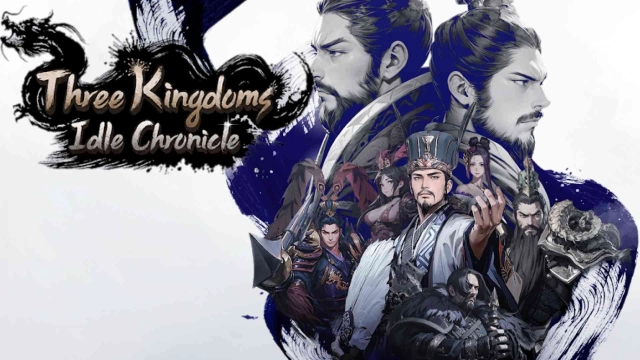
Three Kingdoms: Idle Chronicle is a Role Playing game developed by NEXUS, and LDPlayer is the best platform for playing Three Kingdoms: Idle Chronicle on Windows PC, offering powerful features for an immersive experience.
When playing Three Kingdoms: Idle Chronicle on PC, as a new player looking to start with a fresh account, the multi-instance and sync features are extremely useful for rerolls. You can use them to run multiple instances and begin the synchronization process. Bind your account until you draw the desired heroes.
In addition, operation recorder is great for games that require you to level up and complete tasks! Run the sync and record your actions, then repeat the main instance's actions in real-time. By doing so, you can run 2 or more accounts simultaneously. You can always get the heroes you want before others by faster rerolls and more efficient summoning! Start downloading and playing Three Kingdoms: Idle Chronicle on your computer now!
Alliance Update: Unite to Shape the Fate of the Three Kingdoms!Master strategy and action to build the strongest force in the Three Kingdoms!
The world of the Three Kingdoms is never at rest!
Three Kingdoms Legends Idle RPG: Three Kingdoms: Idle Chronicle
■ Lightning-fast Growth Support for All Lords
Up to 9,999 free draws and other various events!
■ A new return of the Three Kingdoms
Blades of Three Kingdoms is back in full force! Join the heroes of the Three Kingdoms: Idle Chronicle in classic epic adventures set in a historical world!
■ Fierce battlegrounds with constantly evolving characters
Sit back and watch your levels and battlegrounds grow. Commanders grow on and on by the hour. Lead them into the most intense battles!
■ Summon commanders for your ultimate deck of Three Kingdoms heroes
Glorious heroes of Three Kingdoms in 3D graphics. Summon Liu Bei, Guan Yu, Zhang Fei, Lu Bu, Cao Cao, Zhuge Liang, Diaochan, and many more historic heroes from the classic Three Kingdoms!
■ Super-fast growth of powerful heroes
Rapidly level up your heroes in the endless saga of the Three Kingdoms. Unlimited combinations of Wei, Shu, and Wu officers. Create your own powerful troops with a variety of strategic deployments to command the battlefield.
■ Thrilling, action-packed quest to unite the Three Kingdoms
The Three Kingdoms era comes to life with Unreal Engine 5. Join the unique commanders of the Three Kingdoms in a world of action! Experience the powerful action that never ends!
■ Receive the latest news from Three Kingdoms: Idle Chronicle
[Official Website] https://www.action2quare.com/eng/main
[Official X] https://x.com/tkic_en
[Permissions]
* Required permissions: None
* Optional permissions
- Storage: Allow the app to attach and send in-game screenshots in Contact Us
- Notifications: Allow the app to send push notifications related to the service
* You can still use the service even if you don't agree to allow optional permissions.
[How to revoke permissions]
* Android 6.0 or higher:
- Settings > Apps > Permissions > Tap a permission setting > Choose Allow or Don't allow
* Below Android 6.0:
- Due to the nature of the operating system, you cannot revoke individual permissions and will need to uninstall the application. We recommend upgrading your Android version to 6.0 or higher.