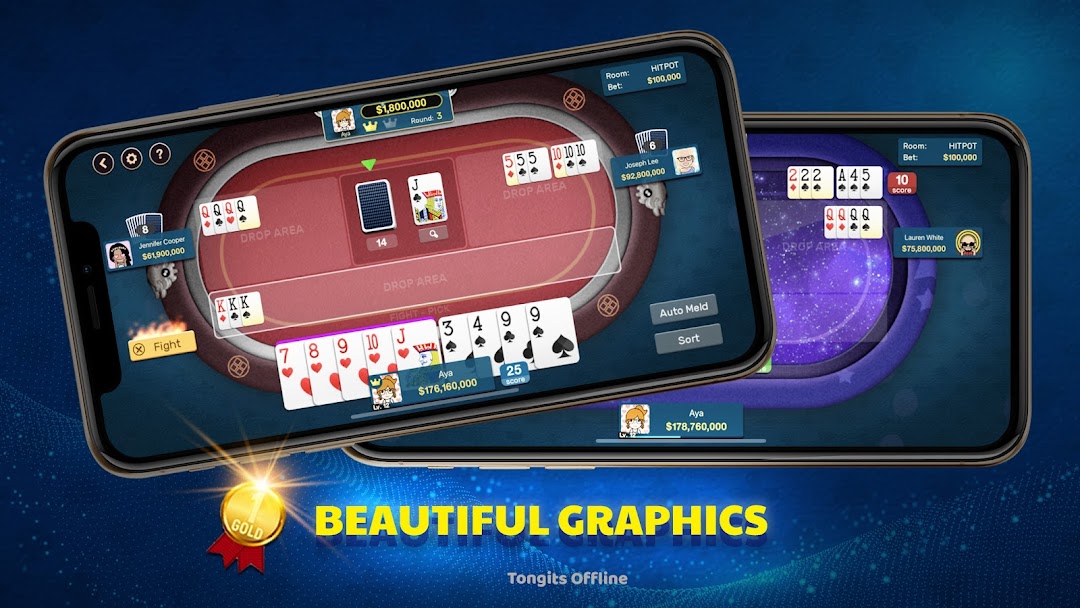
Tongits Offline is a Card application developed by Greenleaf Game, but with the best Android emulator-LDPlayer, you can download and play Tongits Offline on your computer.
Running Tongits Offline on your computer allows you to browse clearly on a large screen, and controlling the application with a mouse and keyboard is much faster than using touchscreen, all while never having to worry about device battery issues.
With multi-instance and synchronization features, you can even run multiple applications and accounts on your PC.
And file sharing makes sharing images, videos, and files incredibly easy.
Download Tongits Offline and run it on your PC. Enjoy the large screen and high-definition quality on your PC!
Tongits (also known as Tong-its or Tung-it) is a three-player knock rummy game that has become very popular in the Philippines. Both the name and the structure of the game suggest a relationship to the American game Tonk. Tong-Its appeared in the late 20th century and seems to be an extended version of Tonk, played with 12 card hands, and it shares strategic elements with Mahjong and Poker. The objective of Tongits is to empty your hand of all cards or minimize the total value of unmatched cards by forming card sets (melds, known as bahay, ba-ha, buo, or balay in different languages), discarding cards, and calling a draw. The player who either empties their hand first or has the lowest points when the central stack is depleted wins the game.To bring the amazing experience of this traditional card game to your fingertips, we proudly introduce Tongits Offline. Enjoy the excitement of Tongits on your mobile device, where strategic skill meets fun. With an intuitive interface and optimized interaction, dive into a world of tactical gameplay and triumph in this captivating card game, available offline anytime, anywhere.
Welcome to Tongits Offline – the ultimate card game experience now available!
*********KEY FEATURES*********
***TOTALLY FREE AND OFFLINE
Enjoy Tongits Offline anytime, anywhere, without needing an internet connection. Earn daily bonus coins to enhance your gameplay.
***MANY ROOM TO CHOOSE
Select from various rooms offering a diverse gaming experience.
- Beginner Room: Immerse yourself in a competitive atmosphere that demands careful strategic thinking, perfect for group play.
- Hitpot Room: Take your skills to the next level with this room, offering an even more challenging experience for seasoned players.
- Extra Hitpot Room: Reserved for professional players with exceptional skill and advanced strategies for the highest level of competitive play.
***PLAY AGAINST WELL-TRAINED BOTS
Challenge yourself against our well-trained bots, immersing yourself in seamless gameplay and honing your skills for future victories.
*** INTUITIVE UI AND RESPONSIVE CONTROLS
Enjoy seamless gameplay and with stunning visuals and user-friendly controls designed for mobile devices.
*** LEADERBOARD
Climb the ranks and compete with other players by updating your best scores on the leaderboard, adding a competitive edge to your gaming journey.
Download Tongits Offline now for endless hours of strategic entertainment!
Note: The main purposes of Tongits Offline are creating a fun simulated game for Tongits (Tong-its or or Tung-it) lovers and help you to improve your card mastery.
There is no money transaction or redemption in this game.
Contact: If you have any questions or contributions to help us improve the quality of the game, please email: greenleafgame.sp@gmail.com.