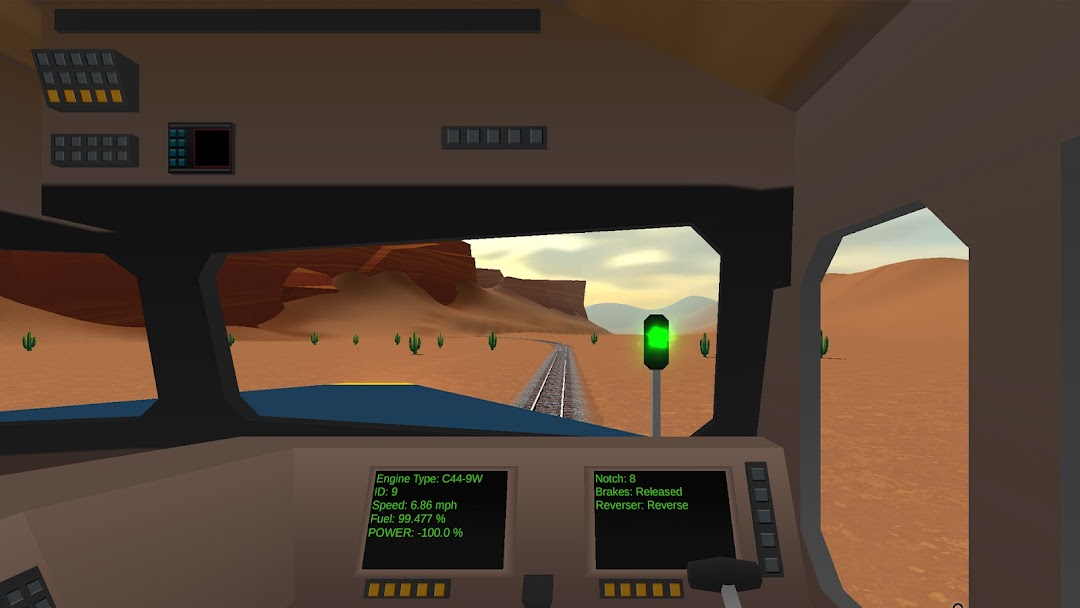
TrainWorks 2 | Train Simulator is a Simulation application developed by Rahmani Technologies, but with the best Android emulator-LDPlayer, you can download and play TrainWorks 2 | Train Simulator on your computer.
Running TrainWorks 2 | Train Simulator on your computer allows you to browse clearly on a large screen, and controlling the application with a mouse and keyboard is much faster than using touchscreen, all while never having to worry about device battery issues.
With multi-instance and synchronization features, you can even run multiple applications and accounts on your PC.
And file sharing makes sharing images, videos, and files incredibly easy.
Download TrainWorks 2 | Train Simulator and run it on your PC. Enjoy the large screen and high-definition quality on your PC!
All aboard for the next generation of train simulation! Welcome to TrainWorks 2 | Train Simulator, where stunning realism meets engaging gameplay. Step into the shoes of a conductor and master the art of rail transport with meticulously crafted locomotives and lifelike physics.Key Features:
🚂 Realistic Detailed Locomotives: Drive a diverse fleet of beautifully stylized trains, each rendered with exquisite detail. Experience the unique handling and characteristics of various steam, diesel, and electric engines.
💥 Derailment and Realistic Physics: Navigate your trains through challenging routes and dynamic environments. Feel the weight and momentum of your locomotives with our advanced physics engine, and stay on your toes to avoid derailments.
📈 Economy and Progression: Start as a novice conductor and build your rail empire. Complete missions, earn rewards, and make strategic decisions to upgrade your fleet, improve your facilities, and expand your business.
🛠️ Realistic Operations: Manage every aspect of train operation. From coupling and decoupling railcars to handling cargo and ensure smooth and timely deliveries to maximize profits.
🌆 Expansive Environments: Explore a richly crafted world with diverse landscapes, including bustling cities, serene countryside, and rugged mountains. Each route offers unique challenges and stunning visuals.
🎨 Customization and Upgrades: Personalize your locomotives and railcars with a wide range of paint schemes and upgrades. Enhance performance and aesthetics to create your dream train.
Embark on an epic journey across the rails with TrainWorks 2 | Train Simulator. With its blend of realism, strategy, and immersive gameplay, this is the definitive train simulation experience for fans of all ages.