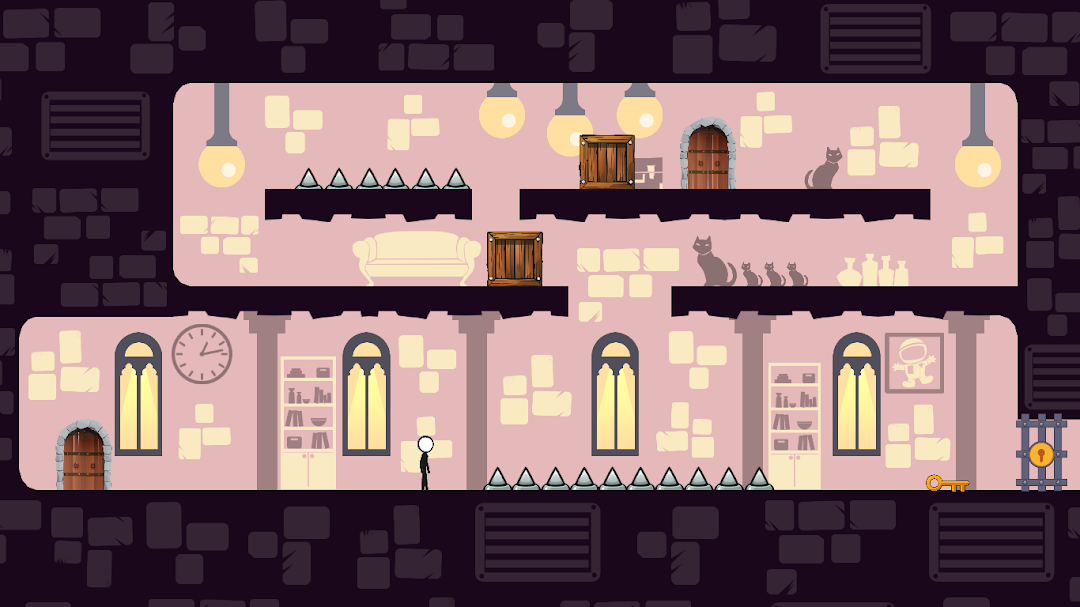
Tricky House 2 is a Puzzle application developed by LightBlueGames, but with the best Android emulator-LDPlayer, you can download and play Tricky House 2 on your computer.
Running Tricky House 2 on your computer allows you to browse clearly on a large screen, and controlling the application with a mouse and keyboard is much faster than using touchscreen, all while never having to worry about device battery issues.
With multi-instance and synchronization features, you can even run multiple applications and accounts on your PC.
And file sharing makes sharing images, videos, and files incredibly easy.
Download Tricky House 2 and run it on your PC. Enjoy the large screen and high-definition quality on your PC!
Escape from the Tricky House, full of tricks and mysterious puzzles. This escape game will challenge your ability to solve puzzles!This escape game is a platform game with many unusual riddles and puzzle elements.
In every room, there is a new puzzle!
Wander the mysterious corridors of the house, explore the house's enigmatic corridors, work puzzles, and watch out for traps. To find the prized key, there will be countless doors, spikes, platforms to jump on, and other obstacles. To unlock locks, escape the room, and discover the right path in the tricky house, take a close look at the room and read the riddles.
Each level is a room with a unique task (or several), and completing it will allow you to open the door and move to the next room.
If you like genres such as adventure, platforming, puzzles, quests, or just want to have a good time - then this game is for you.
The main goal is to figure out a way to escape the rooms, to do that you need to take a close look at the room and solve its puzzles. But this mysterious house is full of traps that you need to avoid.
There'll be many doors, spikes, platforms to jump on, and all this in order to find the way out of the room.
It’s time to prepare your brain to solve some puzzles! Explore this escape game that holds much more tricks and secrets than you think. Play this fun puzzle game for free!
We hope you will enjoy this room escape game!