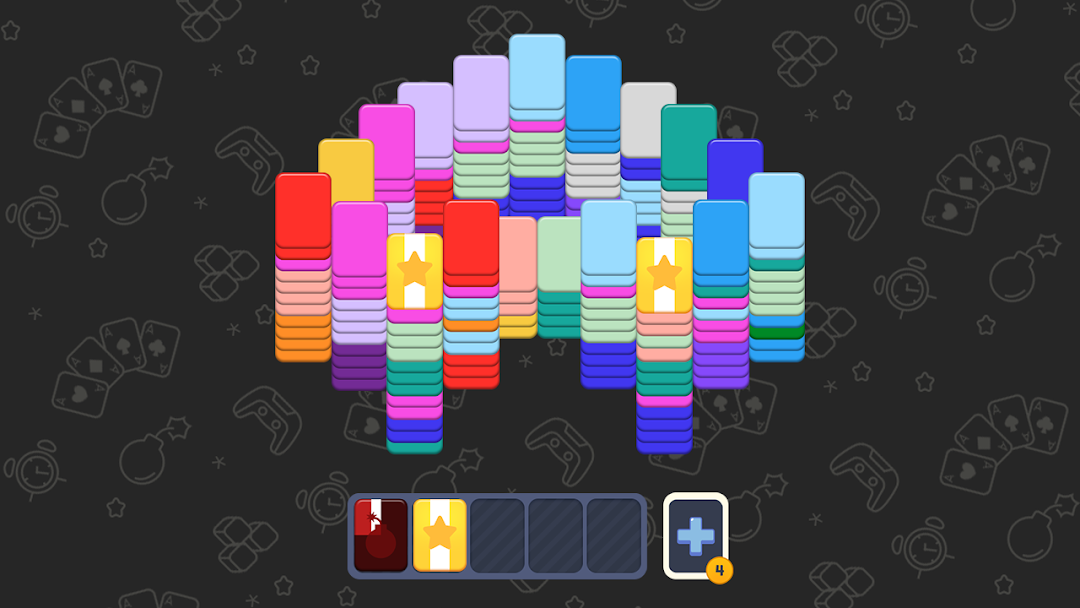
Triple Card Quest is a Puzzle application developed by mobirix, but with the best Android emulator-LDPlayer, you can download and play Triple Card Quest on your computer.
Running Triple Card Quest on your computer allows you to browse clearly on a large screen, and controlling the application with a mouse and keyboard is much faster than using touchscreen, all while never having to worry about device battery issues.
With multi-instance and synchronization features, you can even run multiple applications and accounts on your PC.
And file sharing makes sharing images, videos, and files incredibly easy.
Download Triple Card Quest and run it on your PC. Enjoy the large screen and high-definition quality on your PC!
This brain puzzle game involves collecting and merging cards of the same color among various cards. Conquer extensive levels to become a puzzle master.[How to Play]
- When 3 cards of the same color gather in the storage, they are removed.
- Even a large number of cards can be taken at once if they can be removed in sets of three.
- When bringing cards, if there are cards of the same color in the storage, they merge and are removed.
- Strategize which cards to bring to the 5-slot storage.
- Clear the stage by removing all cards.
- You fail if the storage is filled with cards of different colors.
- Bring the bomb card quickly, or you will fail.
- Earn stars by succeeding in a short amount of time.
[Features]
- Offers easy rules and relaxing game play.
- No time limits or action points, play anytime, anywhere.
- Provides Speed Quiz, Infinite Mode, and Classic Stages.
- Compete with other users in weekly rankings for rewards.
- Collect gold cards to obtain skins for landmarks, rugby balls, animals, and more.
- Receive rubies and gold cards as rewards at regular intervals.
- Play the game without a network connection.
Help : cs@mobirix.com
Homepage :
https://play.google.com/store/apps/dev?id=4864673505117639552
Facebook :
https://www.facebook.com/mobirixplayen
YouTube :
https://www.youtube.com/user/mobirix1
Instagram :
https://www.instagram.com/mobirix_official/
TikTok :
https://www.tiktok.com/@mobirix_official