Undawn
4.01000+

Undawn

Explore, build, and survive in Undawn, an open world zombie survival RPG

Play on PC with LDPlayer
recommend
Level Infinite
How to Download&Play Undawn on PC?
Last Updated: 2025-11-08
com.tencent.cosna
Share:
  • Overview

  • FAQ

  • Game Guides

Use LDPlayer to Play Undawn on PC

Play Undawn on PC

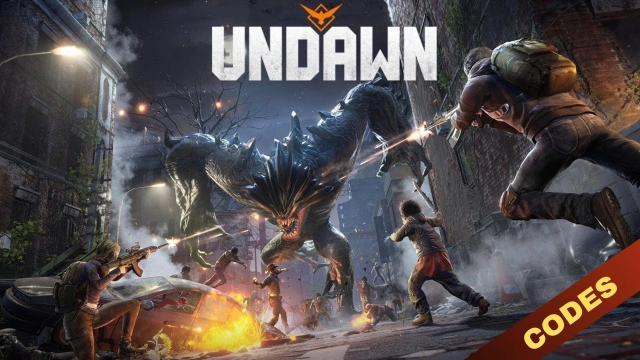
Undawn is Level Infinite’s new open-world survival RPG game which is currently under pre-registration, and here you can see a free-to-play game with an adventure that you have to take along with other survivors. The whole world right here has been in a disaster, and now there is a huge threat of infection. So you have to go through both PVP and PVE modes to survive in this apocalyptic world, and it is about fighting to survive. LDPlayer 9 is the best emulator to play Undawn on PC.

Survive, Explore, and Rebuild

You have to give your all efforts to survive in this world while protecting your allies, home, and humanity. So many weather conditions are also there that you have to bear, and these are playing as the survival indicators for you all players. The expansive open world is all set to be explored by the players, and it comes with so many mines, plains, swamps, deserts, and many more.

As a player, you must rebuild within this world for a new civilization, and as a member of the storied Raven squad, you will have to survive with the squad too. You must arm yourself to the best to survive in this apocalyptic land.

The Easiest Controls Over Your Exploration

It is time to become fluent with your controls in order to survive in this land, and it is now easy with LDPlayer 9. The Keyboard Mapping is what you need here, and through that, you are going to make your way from your game to the best with some customized control settings.

Open up

Screenshots and Videos of Undawn PC

Experience a wider field of view, exquisite game graphics, and cooler combat skills and effects by downloading and playing Undawn on PC with LDPlayer. Enjoy the ultimate gaming experience with LDPlayer.

Why Play Undawn on PC with LDPlayer?

LDPlayer offers unique emulator features including multi-instance support, macros, operation recorder, and other functions not available on mobile devices.

Ultra-Wide Screen

Keyboard Mapping

One-Click Macro

Ultra-Wide ScreenKeyboard MappingOne-Click Macro

Utilizing the expansive screen, it offers a panoramic, all-encompassing view of the game in Undawn, leaving no blind spots. Players can observe game details with crystal clarity and react instantaneously.

  • High FPS

    With support for high FPS, Undawn's game graphics are smoother, and actions are more seamless, enhancing the visual experience and immersion of playing Undawn.
  • Extended Battery Life

    When running Undawn on your computer, you need not worry about low battery or device overheating issues. Enjoy playing for as long as you desire.

How to Download&Play Undawn on PC?

  • 1

    Download and install LDPlayer on your computer

  • 2

    Locate the Play Store in LDPlayer's system apps, launch it, and sign in to your Google account

  • 3

    Enter "Undawn" into the search bar and search for it

  • 4

    Choose and install Undawn from the search results

  • 5

    Once the download and installation are complete, return to the LDPlayer home screen

  • 6

    Click on the game icon on the LDPlayer home screen to start enjoying the exciting game