

Siêu Đậu Tiến Công is a Card application developed by Funtap Games, but with the best Android emulator-LDPlayer, you can download and play Siêu Đậu Tiến Công on your computer.
Running Siêu Đậu Tiến Công on your computer allows you to browse clearly on a large screen, and controlling the application with a mouse and keyboard is much faster than using touchscreen, all while never having to worry about device battery issues.
With multi-instance and synchronization features, you can even run multiple applications and accounts on your PC.
And file sharing makes sharing images, videos, and files incredibly easy.
Download Siêu Đậu Tiến Công and run it on your PC. Enjoy the large screen and high-definition quality on your PC!
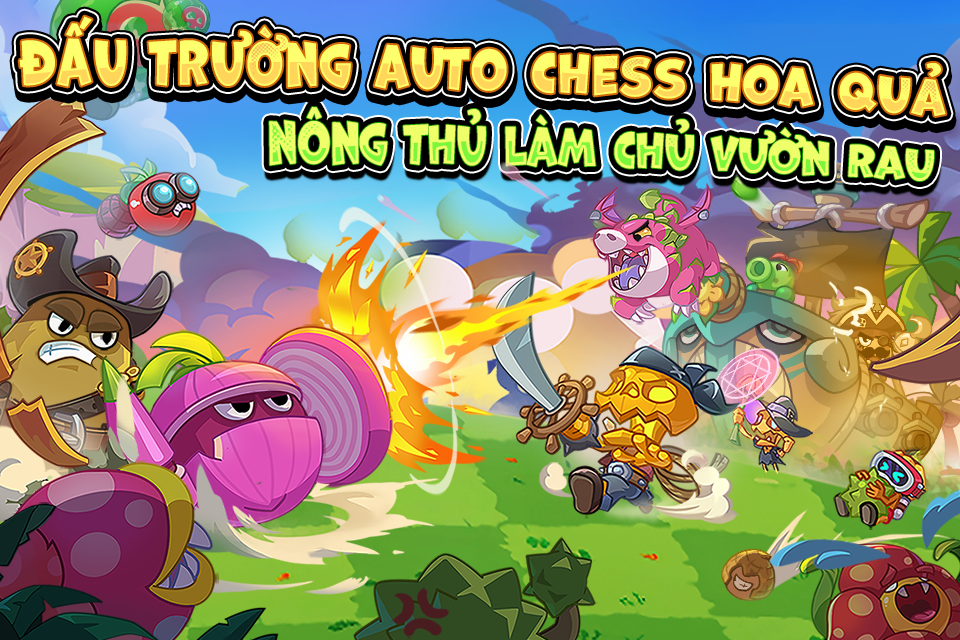
Trò chơi được Cục Phát thanh, truyền hình và thông tin điện tử cấp phép theo Quyết định phê duyệt nội dung kịch bản trò chơi điện tử G1 trên mạng số: 67/GP-PTTH&TTĐT cấp ngày 25/04/2025.Bạn đã sẵn sàng bước vào vườn rau chiến thuật, nơi những hạt đậu tí hon có thể trở thành chiến thần? Siêu Đậu Tiến Công – tựa game chiến thuật thẻ bài - auto chess siêu độc đáo, mang đến những trận chiến đầy kịch tính với quân đoàn rau củ cực chất!
Tính Năng Nổi Bật:
Đăng nhập hốt ngay phần thưởng chất - Với Hoa Hướng Dương, Quỳnh Áo Đỏ cùng siêu nhiều phần quà hấp dẫn!
Đấu Trường 6v6 PvP – Trải nghiệm cảm giác đấu trường chân lý siêu thực! – Thách đấu người chơi khác, leo rank, xếp hạng, thống trị chiến trường!
Gieo mầm chiến thuật – Thu hoạch vinh quang, xây dựng đội hình cực cháy! – Ghép thẻ, nâng cấp, sáng tạo meta riêng, chơi theo phong cách của bạn!
Dàn nhân vật & hệ tộc đa dạng – Hơn 100+ chiến binh rau củ với kỹ năng bá đạo, hệ tộc đa dạng, sẵn sàng tham chiến!
Ngoại trang cực choáy – Chiến binh hoa quả của bạn khoác trên mình màu áo mới, tham chiến cực chất!
Siêu Đậu Tiến Công chắc chắn sẽ là món ăn tinh thần chất lượng trong mùa hè này! Còn chần chờ gì mà không trở thành một người nông dân thư giãn, trồng cho mình vườn rau chất lượng ngay hôm nay?
Đấu Trường Auto Chess Hoa Quả - Nông Thủ Làm Chủ Vườn Rau