

Wolfoo Design: School Makeover is a Educational application developed by Wolfoo Cartoon, but with the best Android emulator-LDPlayer, you can download and play Wolfoo Design: School Makeover on your computer.
Running Wolfoo Design: School Makeover on your computer allows you to browse clearly on a large screen, and controlling the application with a mouse and keyboard is much faster than using touchscreen, all while never having to worry about device battery issues.
With multi-instance and synchronization features, you can even run multiple applications and accounts on your PC.
And file sharing makes sharing images, videos, and files incredibly easy.
Download Wolfoo Design: School Makeover and run it on your PC. Enjoy the large screen and high-definition quality on your PC!
🎃 Get ready for a spook-tacular twist on the classic fixes and home makeover game as we dive into the Halloween season with Wolfoo, Lucy, and their school, which has turned into a spooky, decrepit mess. Help Wolfoo and his friends fix, repair, and clean up everything just in time for the spookiest season of the year!If you are a fan of fix-it games, home design, decorating, room makeover, repair, and cleanup games, this Halloween-themed game is definitely for you. Welcome to Wolfoo's school, which is very old and degraded, a messy place for many students and teachers. Wolfoo, along with Lucy, needs your help to restore the school to its former glory. Let's embark on a spooktacular journey to transform Wolfoo's school into a Halloween-themed masterpiece.
👻 HOW TO PLAY WITH WOLFOO AND LUCY
🎮 Move your finger to paint the walls in the spooky library at school to fix it for Halloween.
🎮 Fix the broken light bulbs by using your logic and puzzle-solving skills.
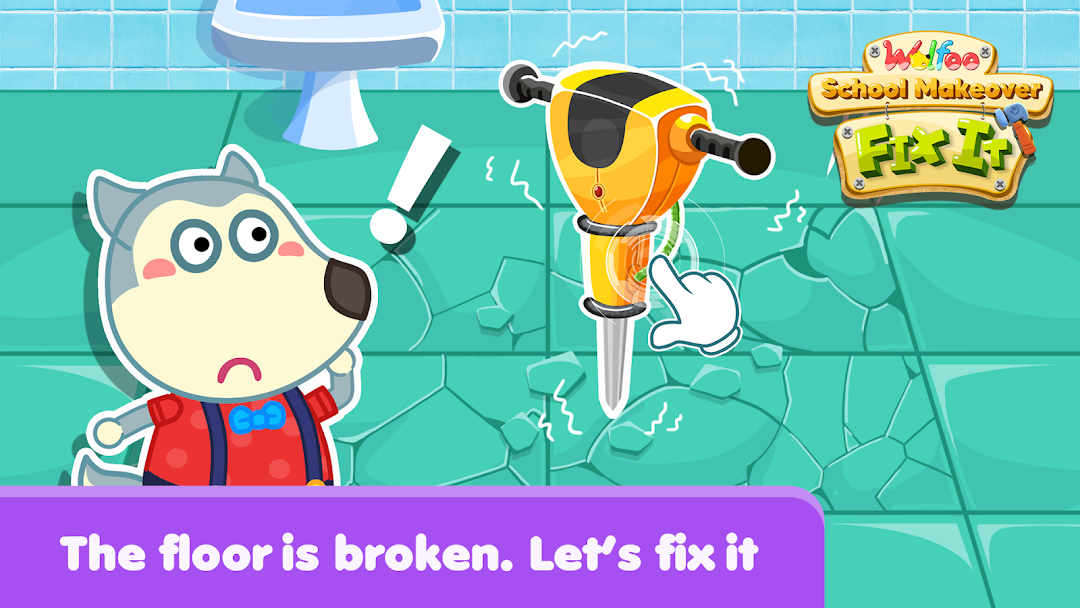
🎮 The floor is in shambles. Put your thinking cap on and figure out how to fix it, making it Halloween-ready.
🎮 You may even have to sleep at school sometimes. Let's clean up the spooky bed for good naps, as Wolfoo and Lucy fix that room with you.
🎃 FEATURES OF THE HALLOWEEN SCHOOL MAKEOVER
Play and learn about good habits in a Halloween-themed environment.
Learn how to clean up rooms and fix many things that are broken, from skeleton bookshelves to ghostly light bulbs.
Get creative with home design and home makeover in a Halloween style.
Enjoy over 6 educational and interactive games, each with a Halloween twist.
Meet cute and familiar designs and characters, including skeletons, witches, and pumpkins.
Navigate a kid-friendly interface, ensuring Halloween fun for all ages.
Immerse yourself in fun animations and spooky sound effects that capture the Halloween spirit.
Best of all, this Halloween school makeover game is completely free, so everyone can enjoy the spooky fun!
🎃 Join Wolfoo, Lucy, and their friends as they transform their school into a Halloween masterpiece, filled with skeletons, ghosts, pumpkins, and witches. Explore the mysteries of Wolfoo's haunted school and help fix, clean, and repair everything in time for the spookiest season of the year. Download it for free and embark on a Halloween adventure with Wolfoo and Lucy.
👉 ABOUT Wolfoo LLC 👈
All games of Wolfoo LLC stimulate children's curiosity and creativity, bringing engaging educational experiences to children through the method of “playing while studying, studying while playing”. The online game Wolfoo is not only educational and humanistic, but it also enables young children, especially fans of the Wolfoo animation, to become their favorite characters and come closer to the Wolfoo world. Building on the trust and support from millions of families for Wolfoo, Wolfoo games aim to further spread the love for the Wolfoo brand across the world.
🔥 Contact us:
▶ Watch us: https://www.youtube.com/c/WolfooFamily
▶ Visit us: https://www.wolfooworld.com/ & https://wolfoogames.com/
▶ Email: support@wolfoogames.com