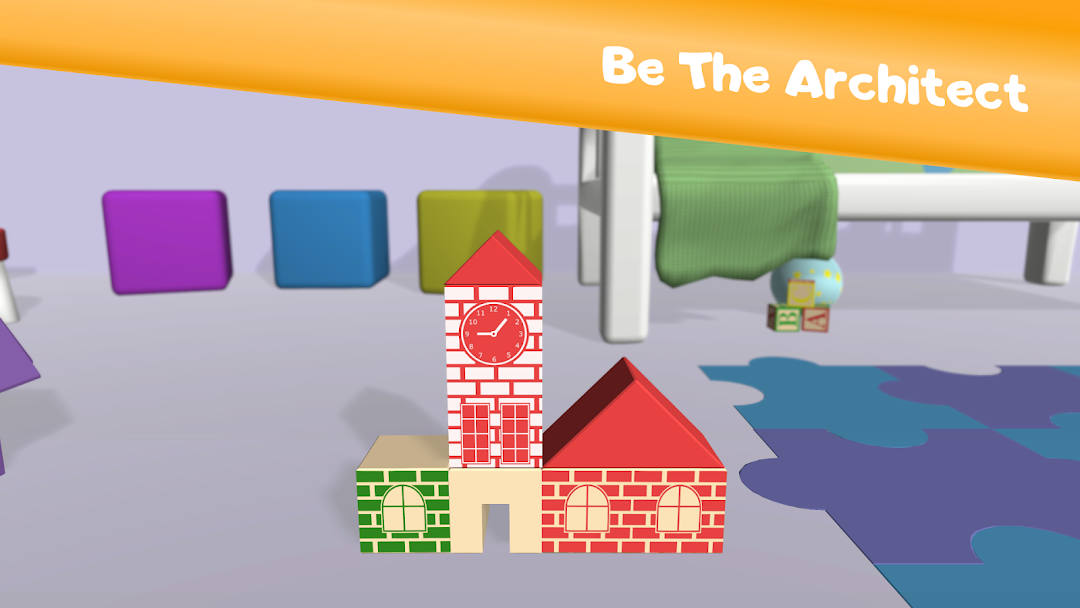
Wooden Blocks: Build! is a Educational application developed by Jsr Games, but with the best Android emulator-LDPlayer, you can download and play Wooden Blocks: Build! on your computer.
Running Wooden Blocks: Build! on your computer allows you to browse clearly on a large screen, and controlling the application with a mouse and keyboard is much faster than using touchscreen, all while never having to worry about device battery issues.
With multi-instance and synchronization features, you can even run multiple applications and accounts on your PC.
And file sharing makes sharing images, videos, and files incredibly easy.
Download Wooden Blocks: Build! and run it on your PC. Enjoy the large screen and high-definition quality on your PC!
Building With Blocks is a fun and safe game for kids👶 where they can unleash their creativity and build anything they can imagine using wooden blocks. With intuitive gameplay and colorful visuals, Building With Blocks is the perfect game for kids to express themselves and develop their motor coordination skills.In Building With Blocks, you can BUILD YOUR OWN WORLD using wooden blocks. Stack as high as you can and create your very own CITY, MEDIEVAL CASTLE, OR MIX THEM TO MAKE SOMETHING WONDERFUL. The game features three different THEMES, each with unique colors and design options:
• Building With Blocks theme🏫
• City theme🏙
• Medieval theme🏰
Whether you want to build a towering skyscraper, a sprawling metropolis, or a majestic castle, Building With Blocks has everything you need to bring your ideas to life.
Building With Blocks is a 🎮 FREE GAME, with the option to purchase new THEMES and unlock even more building possibilities. With frequent updates and new features, Building With Blocks is always evolving and expanding, giving kids endless opportunities to create and explore.
Encourage your kids to unleash their creativity and build their own wooden world with Building With Blocks. With positive ratings and reviews from satisfied users, Building With Blocks is the perfect game for kids who love to build and create.
Remember to use the power of social media to promote your app and drive downloads. Share your Building With Blocks creations on Instagram, Facebook, and Twitter to inspire others and showcase your kids' creativity.
Start building your wooden world today with Building With Blocks - the ultimate building game for kids! 🚀