Word Wow - Brain training fun is a Word application developed by DonkeySoft Inc., but with the best Android emulator-LDPlayer, you can download and play Word Wow - Brain training fun on your computer.
Running Word Wow - Brain training fun on your computer allows you to browse clearly on a large screen, and controlling the application with a mouse and keyboard is much faster than using touchscreen, all while never having to worry about device battery issues.
With multi-instance and synchronization features, you can even run multiple applications and accounts on your PC.
And file sharing makes sharing images, videos, and files incredibly easy.
Download Word Wow - Brain training fun and run it on your PC. Enjoy the large screen and high-definition quality on your PC!
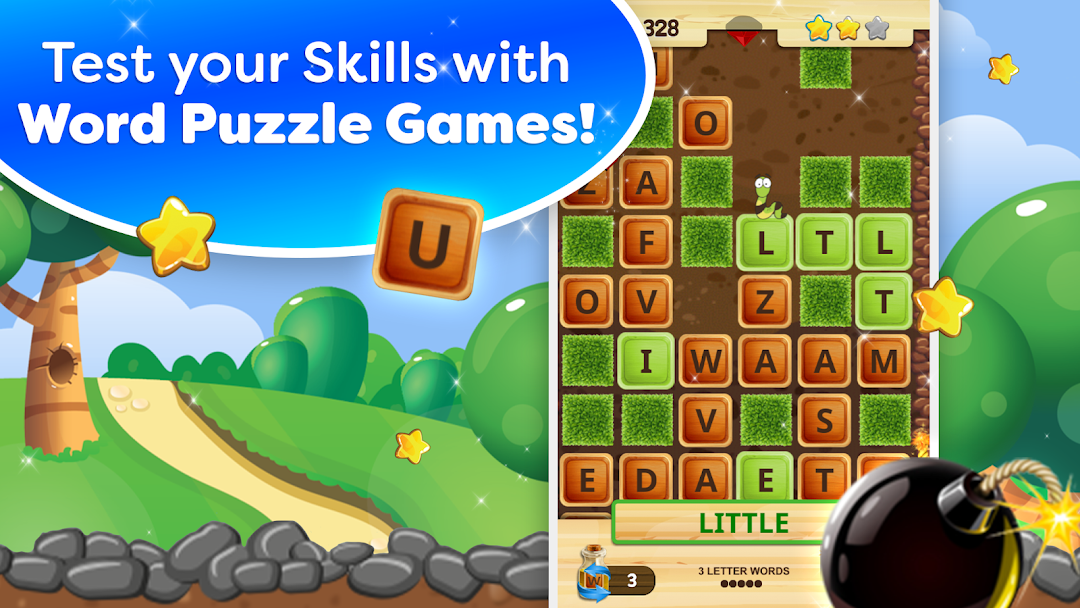
Word Wow – It’s brain training fun for everyone! If you love puzzles and word games then Word Wow will deliver! With Word Wow, fun puzzle games are just a few taps away with easy-to-use word search gameplay perfect for all word puzzle fans and brain game enthusiasts alike!Connect words on the gameboard to clear a path for the worm as you progress through each word puzzle and collect bonuses and game collectibles as you go! Tap letters and create words as you help the worm clear its path to the next level! The more levels you complete, the more challenging word games you unlock! Collect hidden gems throughout the game to earn even more games filled with word puzzle fun!
Whether you’re a classic word game novice or a brain game pro, Word Wow has word puzzle games for all skill levels. Choose from 3 difficulty levels to start finding words at a pace that fits your skill level.
Fun brain games don’t have to be stressful. Use our helpful letter bombs to help clear the path and collect bonuses for each word puzzle level you complete! Go from brain game beginner to word game master in no time with Word Wow’s collection of fun word puzzle games that start off easy, then more challenging as you level up!
Play word games with friends online, compete in live rankings against other Word Wow players or play offline to train your brain solo or on the go. Word Wow brings you challenging word games meant to take your brain training to the next level – all while having fun.
Brain training fun starts with Word Wow! Join over 5 MILLION players in the game that everyone is talking about! Word Wow is made for those who love letter games like word scrabble, crosswords, word search, classic word games and brain engaging fun!
WORD WOW FEATURES
BRAIN GAMES WITH WORD PUZZLE FUN:
🔶 Our brain training games are perfect for puzzle lovers and fans of word games
🔶 Create words by tapping letters anywhere on the puzzle board.
🔶 Connect words and clear a path for the worm to win and earn bonuses
🔶 Can't find the words? Use letter bombs to beat the word puzzle board and clear the way
🔶 Progress through the game by finding words and level up
MORE FEATURES, MORE BRAIN GAME FUN:
🔶 Compete in word puzzle challenge games with LIVE RANKINGS against other Word Wow players
🔶 Experience more word brain puzzle fun with daily BONUS bombs
🔶 Play word games with friends online – word games anytime, anywhere
🔶 3 levels of difficulty offers fun word games for all skill levels
🔶 Our mind puzzles are packed with BOOSTERS and COLLECTIBLES that make brain training more exciting
Word puzzle fun meets braining training fun with Word Wow! Download today and let the fun begin!
Have an issue with any of our free word games? For immediate support, contact us
support@donkeysoft.ca!