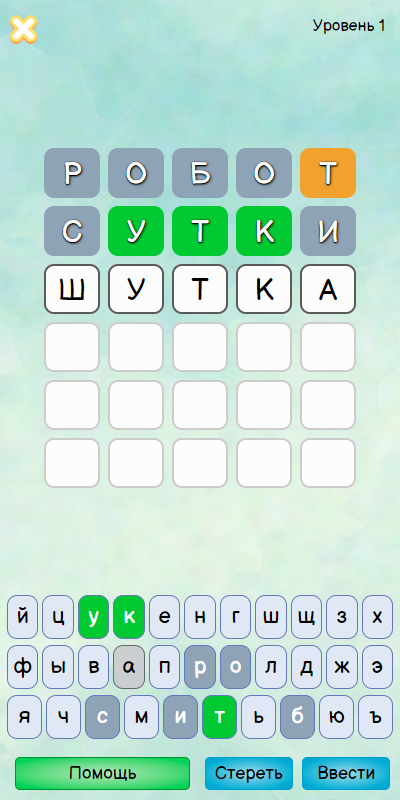
Вордли на русском is a Word application developed by Jef games, but with the best Android emulator-LDPlayer, you can download and play Вордли на русском on your computer.
Running Вордли на русском on your computer allows you to browse clearly on a large screen, and controlling the application with a mouse and keyboard is much faster than using touchscreen, all while never having to worry about device battery issues.
With multi-instance and synchronization features, you can even run multiple applications and accounts on your PC.
And file sharing makes sharing images, videos, and files incredibly easy.
Download Вордли на русском and run it on your PC. Enjoy the large screen and high-definition quality on your PC!
Wordly in Russian - a game in which you need to guess the word in 6 attempts, the rules are similar to the Wordly game in Russian, it gets more convenient.Try to guess the hidden word in 6 tries in the game Wordly in Russian ( Wordle ) and test your vocabulary!
Opportunity to play and compete Online!
Wordley in Russian is a new exciting word game, where there are interesting riddles and puzzles based on puzzles and crosswords, based on the rules of the Wordle game.
The game was created by analogy with the world hit Wordle (Wordle) and translated into Russian.
Words can be guessed for free every day in the "Word of the Day" mode.
Play new modes in Wordle game.
This is a real and exciting yoga for the brain, meditation for the mind,
word puzzles for logic and vocabulary development - this is all Wordley's word game,
which can be played with pleasure at any age, adults and children.
Guess the word of the day without any clues in the "word of the day" mode,
also unlimited guess the words in the simple game mode, or select the category of words that interests you.
The rules of the Wordley game are simple, just like in the Wordle (Wordly) game:
- The player needs to guess a word from 4 to 10 letters long in Russian in 6 attempts
- To understand what letters are in the guessed word, enter the words using color hints.
- If the letter in the entered word is highlighted in green, it is in the hidden word and is in the correct place.
- If the letter is highlighted in orange - it is in the hidden word, but is in a different place.
- Word of the day in Russian
- Guessing words by letter in the mode of passing levels
- More than 7,000 game words in the dictionary.
- At least 1000 levels in the mode of passage!
- Choice of word lengths 4,5,6,7,8,9,10 letters!
- Attempt stats
- Select words by category
Free download the game Wordley (Kobza in Russian).
The Wordle game - Wordle in Russian - will appeal to fans of crossword puzzles, puzzles and riddles, as well as word games from words, words from letters.
Also suitable for all lovers of word games and logic puzzles, ru wordle ru.