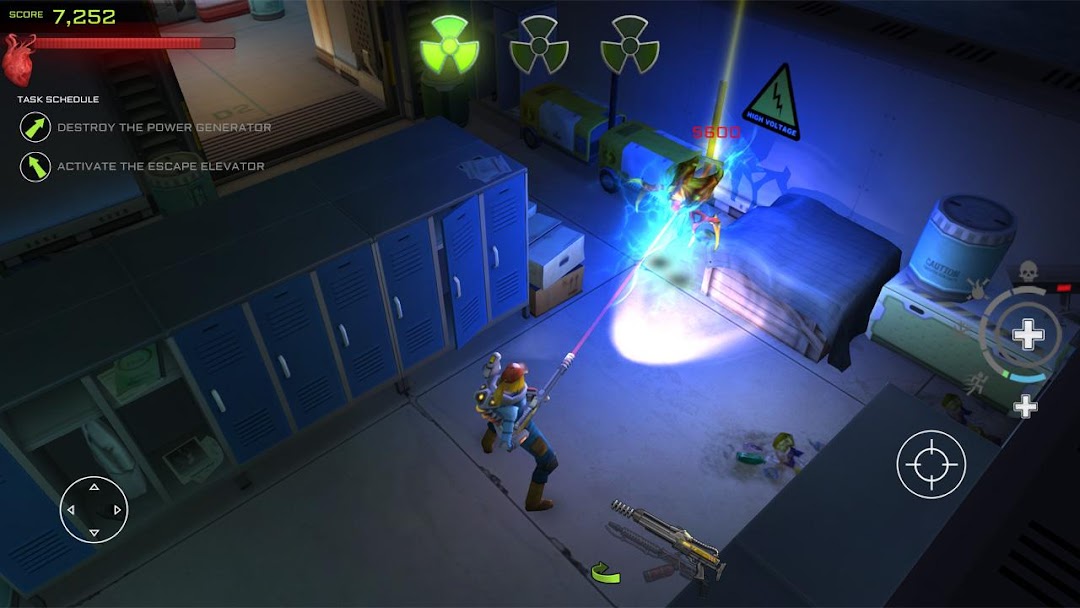
Xenowerk is a Action game developed by Pixelbite, and LDPlayer is the best platform for playing Xenowerk on PC, offering powerful features to immerse you in the game.
When playing Xenowerk on computer, you can adjust frame rate settings for smooth gameplay and stunning visuals.
LDPlayer also provides pre-configured keyboard mapping for convenient control of the entire game. Continuous optimization of keyboard mapping enhances key sensitivity and skill accuracy. Additionally, LDPlayer offers special buttons like shoot, hide mouse, and continuous key press for an enhanced gaming experience.
If you prefer using a gamepad, the automatic gamepad detection allows you to customize controls with just a few clicks, enabling you to freely maneuver your hero. Start downloading and playing Xenowerk on your computer now!
Be the last hope against the mutant infestation. Enter the aftermath of a scientific experiment gone horribly wrong.Xenowerk™ comes from Pixelbite, the creators of Space Marshals. It is a top-down action shooter challenging your combat skills in an underground science lab. Descend deeper into the abyss and explore the tarnished levels. Armed with a flashlight as your main guidance, you’ll never know what’s lurking in the dark!
MISSION
Your objective is to destroy all the nests and eliminate all mutants to prevent them from spreading.
Xenowerk™ has 70 levels to explore with increasing difficulty. As progressing through the game you’ll come across a growing number of mutants and expanding areas to cleanse.
ARSENAL
Heavier firepower and thicker armor is critical to stay alive on your journey. Gather pickups from slain mutants to power up weapons and armor.
SPECIAL POWERS
Xenowerk™ features a set of special powers to boost your offensive when you’re in need. Activate one or several at a time for a more effective way to wipe out mutants.
KEY FEATURES
· Top-down action shooter
· Dual stick touch controls
· Beautifully rendered lighting and shadows
· Wide range of weapons and gear
· Upgradable weapons
· Special Powers to enhance your gameplay
· Performance based rating system
· Google Play Achievements & Leaderboards
· Optional in-app credit packages to purchase
· English, Deutsch, Français, Español, Italiano, 简体中文, 한국어, 日本語, 繁体中文, русский, Português do Brasil
**************
Game requires OpenGL ES 3.0 support
**************
IMPORTANT: Please note that this game requires a screen resolution of at least 800x540 to display GUI elements correctly. It may be playable at lower resolutions but it is not officially supported.
NOTE: Xenowerk features advanced graphics. To optimize game performance you may want to close down any other running applications before launching the game.
For support enquiries: support@pixelbite.se
Follow us on Twitter: @pixelbite
Follow us on Facebook: https://www.facebook.com/pixelbite
For more epic games visit: http://www.pixelbite.se/