
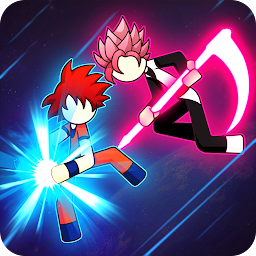


Z Stick: Legend Dragon Warrior is a Arcade application developed by ZGame-Studio, but with the best Android emulator-LDPlayer, you can download and play Z Stick: Legend Dragon Warrior on your computer.
Running Z Stick: Legend Dragon Warrior on your computer allows you to browse clearly on a large screen, and controlling the application with a mouse and keyboard is much faster than using touchscreen, all while never having to worry about device battery issues.
With multi-instance and synchronization features, you can even run multiple applications and accounts on your PC.
And file sharing makes sharing images, videos, and files incredibly easy.
Download Z Stick: Legend Dragon Warrior and run it on your PC. Enjoy the large screen and high-definition quality on your PC!
🐲 Z Stick: Legend Dragon Warrior is classic game which is popular worldwide. Our character are the greatest Hero Warrior with incredible power. super battle of God vs Devil base on Google Play has been return! The best combat action game of 2022 on smartphone.The best game ever for battle dragon fan with more than 80 character from from 12 different universes. The cool saiyan transform effect and many bosses what you will love the way to fight.
With Super Saiyan Levels 1, 2, 3, 4.. and God, Blue for strongest power with full skills will bring you to an ultimate saiyan battle.
Many skills like Kameha, Dragon Recall, Big Bang Attack, Ki Blast Ball and hakai god of destroy... Become super heroes and warriors of legend with full skill of a super hero special more than all on global.
🐲 Z Stick: Legend Dragon Warrior is a fight game with Stick characters and 4 game Mode, You will in super hero role also superheroes and fight with big bosses. the most dangerous enemies in universe. Your enemies will upgrade their power each level, and they will absolute make you hard to win.
If you love stickman, Saiyanz Z warrior fighting type of game then "Z Stick" is the right choice for you with great graphics and challenging gameplay.
******************* FEATURES *******************
⚔️ Easy to play and control.
⚔️ 5 Amazing Game Mode.
⚔️ Multi Language (Español, Português, Le français, Italiano.. ).
⚔️ 80+ Super Hero and Boss with amazing graphics stick.
⚔️ 10+ Powerful Map.
⚔️ Many characters to collect and upgrade.
⚔️ Melee skill : Perform spectacular martial arts
⚔️ Intermediate skill: Great "Kai fighter" Energy ball from sky.







