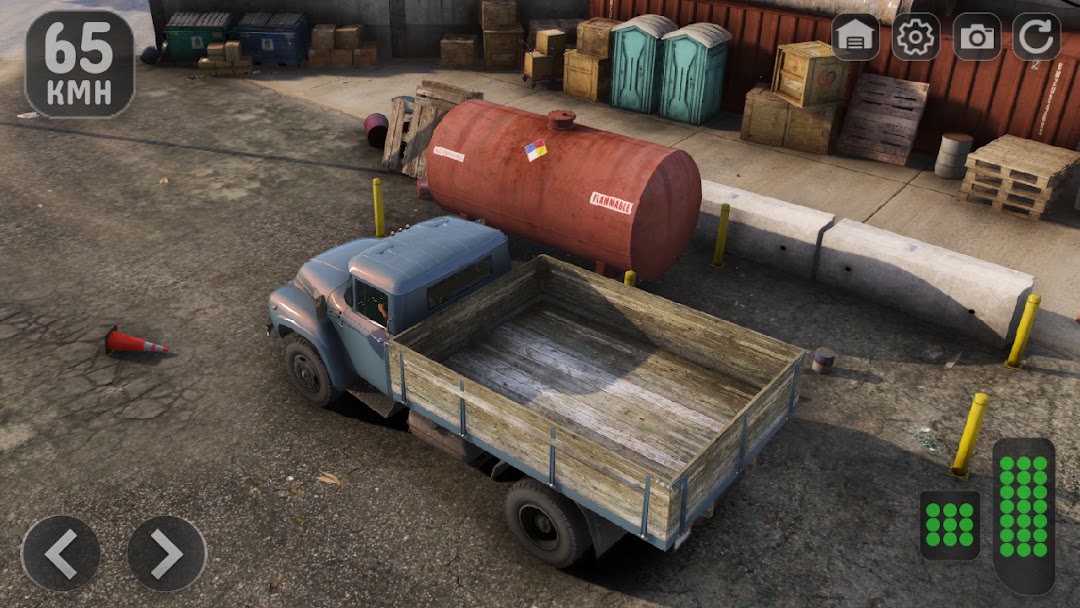
ZIL 130 Retro Truck Challenge is a Racing game developed by Fast Cars Zone. LDPlayer is the best platform for playing ZIL 130 Retro Truck Challenge on Windows PC, providing robust features to help you achieve an immersive experience in ZIL 130 Retro Truck Challenge.
When playing ZIL 130 Retro Truck Challenge on your computer, if you prefer using your own gamepad to control the game, LDPlayer's automatic gamepad detection can assist you in customizing controls with just a few simple clicks, allowing you to enjoy more realistic racing scenes and challenges.
With support for high frame rates, the game's diverse track designs and rich terrain and environmental changes become even more lifelike and detailed.
Additionally, the video recording feature makes it easy for you to capture all the exciting and amusing races and game content, making it convenient to share with friends or create videos. Start downloading and playing ZIL 130 Retro Truck Challenge on your computer now!
You are welcomed by a driving simulator of a powerful Russian truck ZIL 130! This is a unique game that provides players with the opportunity to plunge into the world of driving a cargo machine. In the game, you can choose your favorite car from many Russian trucks, including ZIL 130, KAMAZ, Ural, Gazelle and others. Try a fascinating parking mode that can improve your driving skills! Get experience with other truck drivers. Enjoy the unique city missions and off-road tasks. Explore complex roads on 4x4 off-road tracks! This will be a real check for your powerful truck!Various missions and tasks, such as cargo transportation, parking of a truck, racing, as well as free driving and driving school, will be available to players. Realistic physics and management add the sensations of drive and adrenaline, and the variety of routes and russian villages will allow you to enjoy the appearance of the surrounding nature during trips.
You will also be able to select other russian cars such as VAZ 2107, Lada Priora, buses and cars to create a complete picture of the russian Avtovaz. The game offers a realistic driving experience that can captivate even real truck drivers.
Features: Truck Driving Simulator ZIL 130
Become a truck driver
Cargo delivery mission
Map of the Russian village
Various levels of complexity
Truck parking mode
Gazelle, KamAZ, UAZ and Urals
Open other Russian cars
Realistic engine sounds
So if you are looking for an exciting truck driving simulator that offers you a wide selection of trucks and many interesting tasks, including parking and racing. Then the driving simulator of the Russian truck ZIL 130 is an excellent choice for pastime!