AdGuard Home Manager is a Tools application developed by JGeek00, but with the best Android emulator-LDPlayer, you can download and play AdGuard Home Manager on your computer.
Running AdGuard Home Manager on your computer allows you to browse clearly on a large screen, and controlling the application with a mouse and keyboard is much faster than using touchscreen, all while never having to worry about device battery issues.
With multi-instance and synchronization features, you can even run multiple applications and accounts on your PC.
And file sharing makes sharing images, videos, and files incredibly easy.
Download AdGuard Home Manager and run it on your PC. Enjoy the large screen and high-definition quality on your PC!
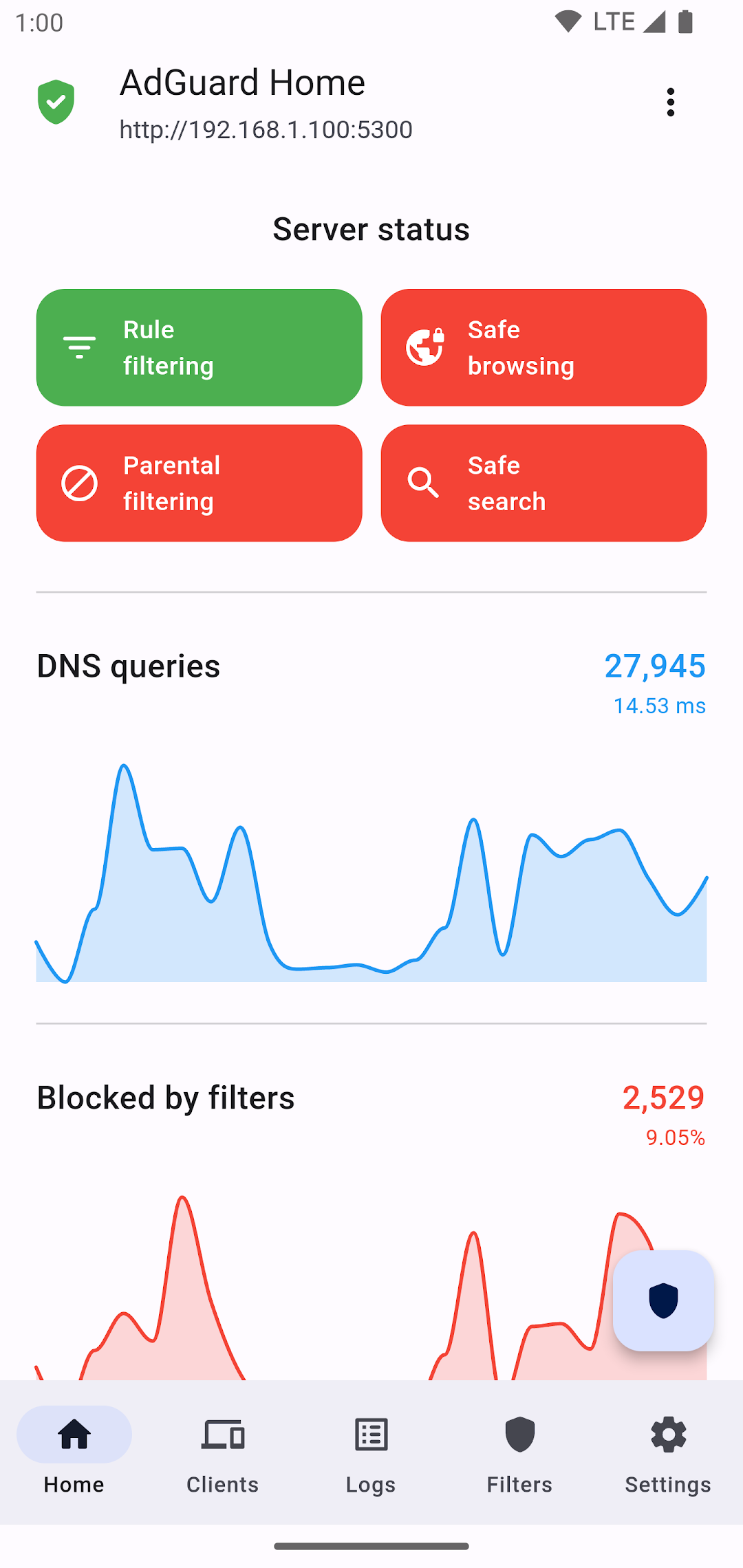
With AdGuard Home Manager you can manage your AdGuard Home server from your mobile device.⚠️ Warning ⚠️
AdGuard Home Manager it's not designed to work with alpha or beta versions of the AdGuard Home server. This application may have some issues working with that versions.
MAIN FEATURES:
▶ Manage your AdGuard Home server on an easy way.
▶ Supports HTTP and HTTPS connections.
▶ Enable and disable the different protections with only one switch.
▶ Add multiple servers to the app, and manage all of them from here.
▶ See and filter the query logs
▶ Manage your filtering lists
▶ See the clients list and create a custom configuration for a client
▶ Configure the allowed devices, DHCP, DNS or rewrites among others
▶ Update your server from the app (not available for servers running on a Docker container)
▶ Material You interface with dynamic theming (only Android 12+)
Available languages:
- English
- Spanish
- Chinese
- Polish
- Turkish
Requires Android 8.0+
Check the privacy policy here: https://github.com/JGeek00/adguard-home-manager/wiki/Privacy-policy
‼️ DISCLAIMER ‼️
This is an unofficial application. The AdGuard Home team and the development of the AdGuard Home software is not related in any way with this application.