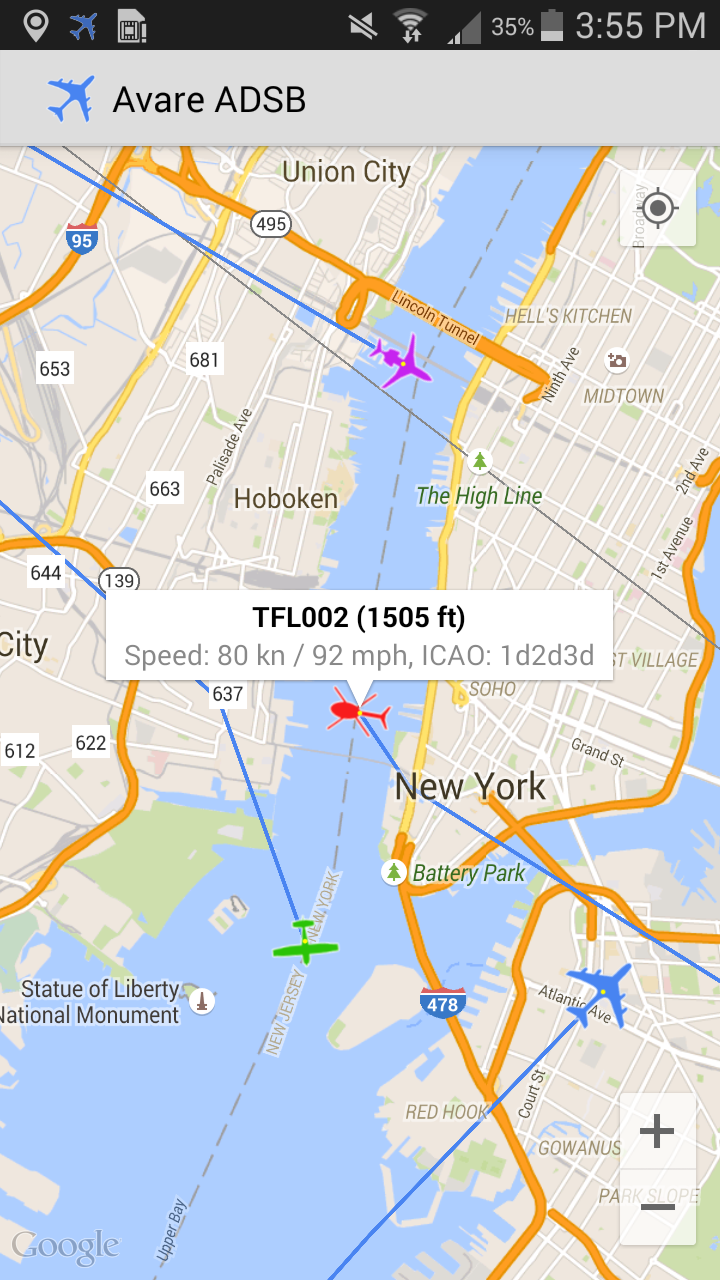
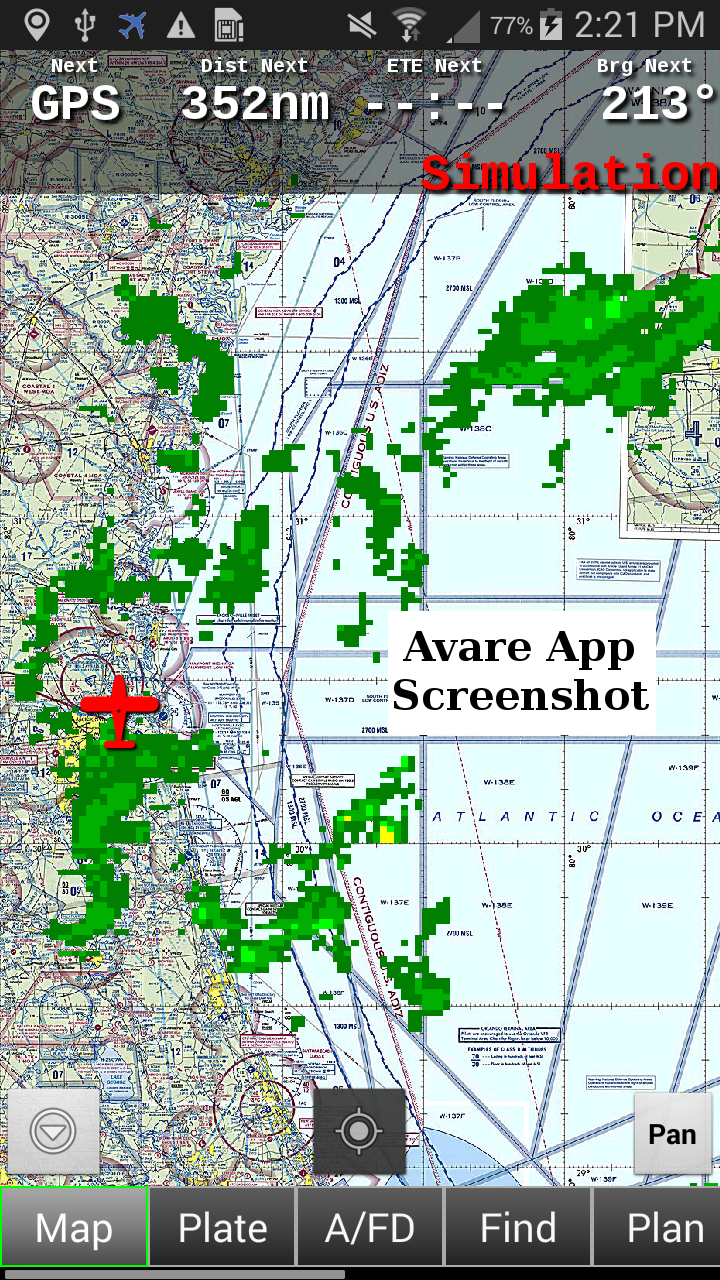
ADSB Receiver Pro is a Maps&Navigation application developed by HIZ LLC, but with the best Android emulator-LDPlayer, you can download and play ADSB Receiver Pro on your computer.
Running ADSB Receiver Pro on your computer allows you to browse clearly on a large screen, and controlling the application with a mouse and keyboard is much faster than using touchscreen, all while never having to worry about device battery issues.
With multi-instance and synchronization features, you can even run multiple applications and accounts on your PC.
And file sharing makes sharing images, videos, and files incredibly easy.
Download ADSB Receiver Pro and run it on your PC. Enjoy the large screen and high-definition quality on your PC!
The leading ADSB Receiver for Android!!** Please note:
-YOU NEED ADDITIONAL HARDWARE TO USE THIS APP.
-Disable battery optimization if run in background.
This app enables your device to receive live ADSB data (978 MHz UAT and 1090 MHz ES). All you need is a supported USB dongle and an OTG cable, both available from various sources on the internet for less than $20.-. No subscription required!
Follow this link for more details: http://hiz.ch/index.php/home/adsb-receiver
Use this app to provide live ADSB data to Avare! All data received (traffic, Nexrad weather and standard reports like METAR, TAF, PIREP, WINDS, ...) will be made available automatically, once Avare has been detected. (Make sure to enable "Use ADSB Weather" in Avare.) Download Avare here, it's free: https://play.google.com/store/apps/details?id=com.ds.avare
You can also forward the data to most GDL90 compatible apps like iFlyGPS, FltPlanGo, DroidEFB, ...
USAGE
Attach a supported USB dongle to your Android device by using an OnTheGo (OTG) cable/adapter. Make sure your device supports OTG! Start the app and allow access to the dongle. You should see packages flowing in quickly, depending on your location.
HARDWARE
Supported tuners: Rafael Micro R820T and R820T2.
List of example dongles and OTG adapters/cables: http://hiz.ch/index.php/home/adsb-receiver#HARDWARE
PRIVACY
This app requires permanent GPS location permission, if you enable one of the following options:
-Forwarding GPS data to Avare (external app)
-Forwarding ADSB data using GDL90 (ownship reports)
AUTHOR
HIZ LLC, Michael Hammer
Copyright (C) 2014-2020, all rights reserved
DISCLAIMER
THIS SOFTWARE IS PROVIDED BY THE COPYRIGHT HOLDERS AND CONTRIBUTORS "AS IS" AND ANY EXPRESS OR IMPLIED WARRANTIES, INCLUDING, BUT NOT LIMITED TO, THE IMPLIED WARRANTIES OF MERCHANTABILITY AND FITNESS FOR A PARTICULAR PURPOSE ARE DISCLAIMED. IN NO EVENT SHALL THE COPYRIGHT HOLDER OR CONTRIBUTORS BE LIABLE FOR ANY DIRECT, INDIRECT, INCIDENTAL, SPECIAL, EXEMPLARY, OR CONSEQUENTIAL DAMAGES (INCLUDING, BUT NOT LIMITED TO, PROCUREMENT OF SUBSTITUTE GOODS OR SERVICES; LOSS OF USE, DATA, OR PROFITS; OR BUSINESS INTERRUPTION) HOWEVER CAUSED AND ON ANY THEORY OF LIABILITY, WHETHER IN CONTRACT, STRICT LIABILITY, OR TORT (INCLUDING NEGLIGENCE OR OTHERWISE) ARISING IN ANY WAY OUT OF THE USE OF THIS SOFTWARE, EVEN IF ADVISED OF THE POSSIBILITY OF SUCH DAMAGE.