AR Anki App is a Education application developed by Rain Creations, but with the best Android emulator-LDPlayer, you can download and play AR Anki App on your computer.
Running AR Anki App on your computer allows you to browse clearly on a large screen, and controlling the application with a mouse and keyboard is much faster than using touchscreen, all while never having to worry about device battery issues.
With multi-instance and synchronization features, you can even run multiple applications and accounts on your PC.
And file sharing makes sharing images, videos, and files incredibly easy.
Download AR Anki App and run it on your PC. Enjoy the large screen and high-definition quality on your PC!
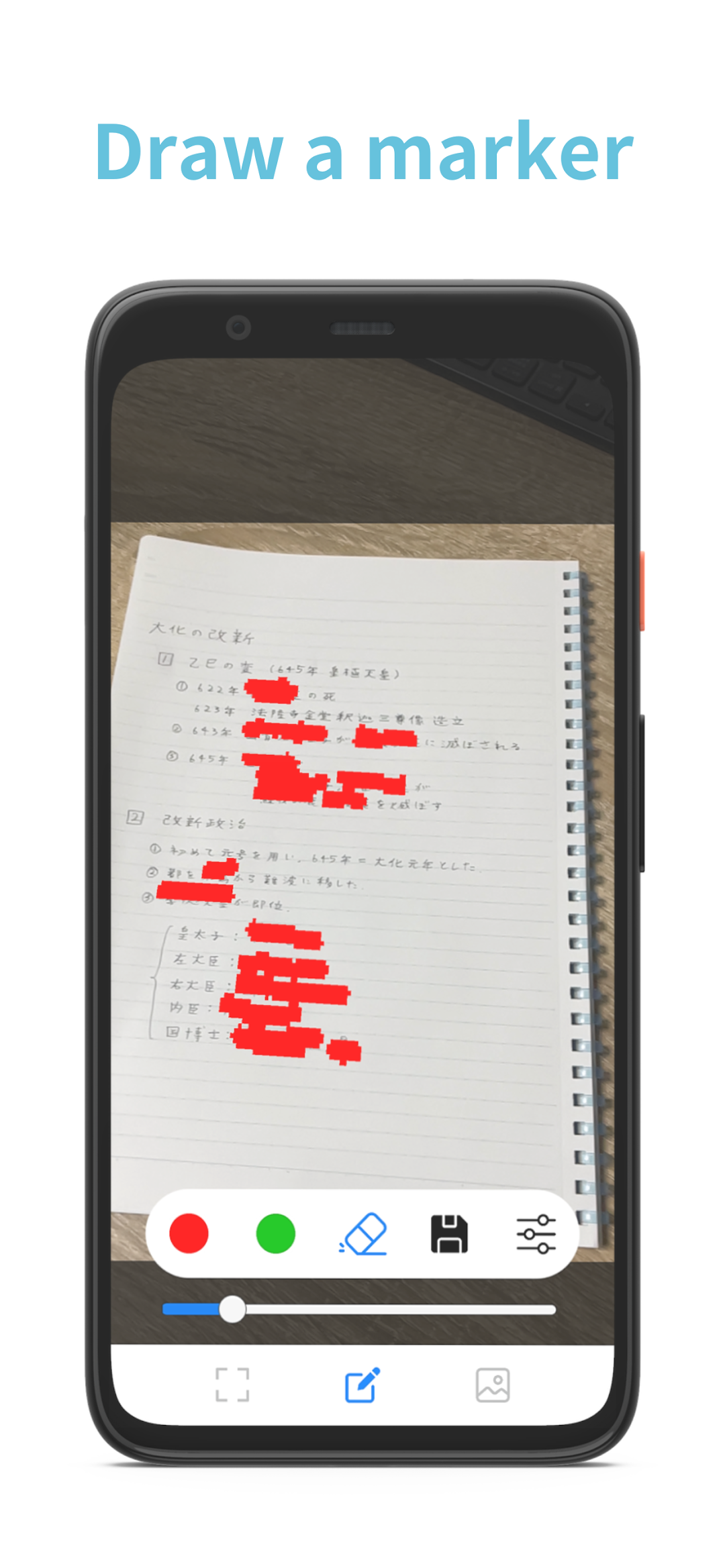
AR Anki App can draw an AR marker on textbooks without making the textbook dirty, and save that written page as a flashcard in the app.Features
1. AR marker follows the position of the textbook and the tilt of the page, making it easier to draw marker with less misalignment.
2. You can start memorizing right away in the app by using a flashcard function.
3. It is possible to continue learning anytime and anywhere without textbooks by saving as a flashcard. (If you once save pages)
This application uses materials belonging to the following authors.
Eraser icons created by Freepik - Flaticon
Frame icons created by Royyan Wijaya - Flaticon
Image icons created by feen - Flaticon
Settings icons created by Freepik - Flaticon
Close icons created by Ilham Fitrotul Hayat - Flaticon
Save icons created by Yogi Aprelliyanto - Flaticon
Delete icons created by feen - Flaticon
Edit icons created by Pixel perfect - Flaticon